|
Help center
This release introduced the reimagined dashboard and calendar, with significant improvements for all user types.
With these updates, users will be able to achieve their task much quicker, whether it's Admins aiming to run their operations smoother, or Member users finding available resources and attending their booked sessions.
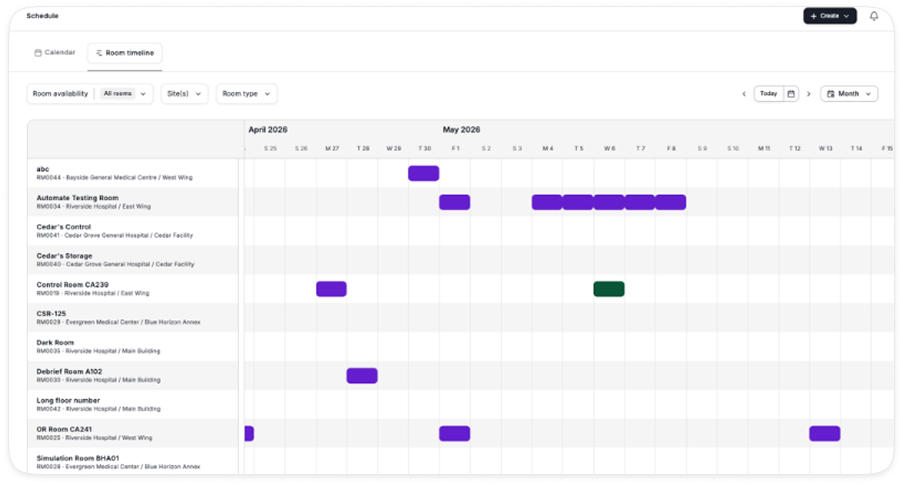
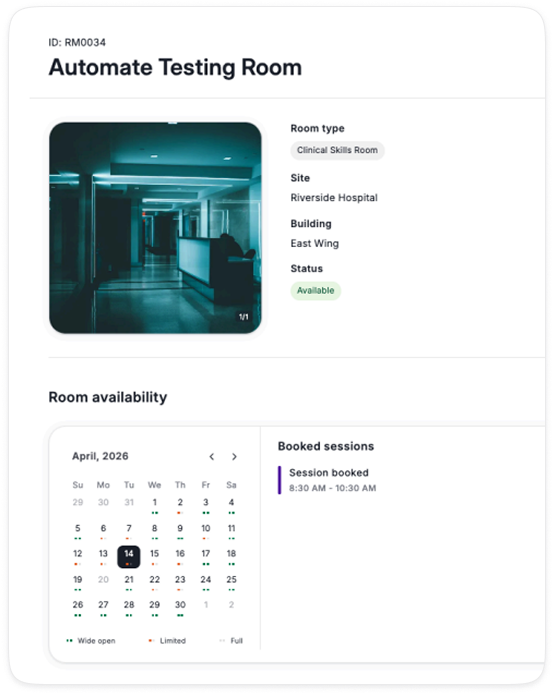
The release also includes giving Members the ability to see the room availability timeline, allowing them to quickly check availability before starting a booking.
The dashboard has seen major updates to help users get more value and surface what is most important to them.
1. Operational Performance Metrics
• Admins can see key metrics that help improve operations across their program
• Metrics include:
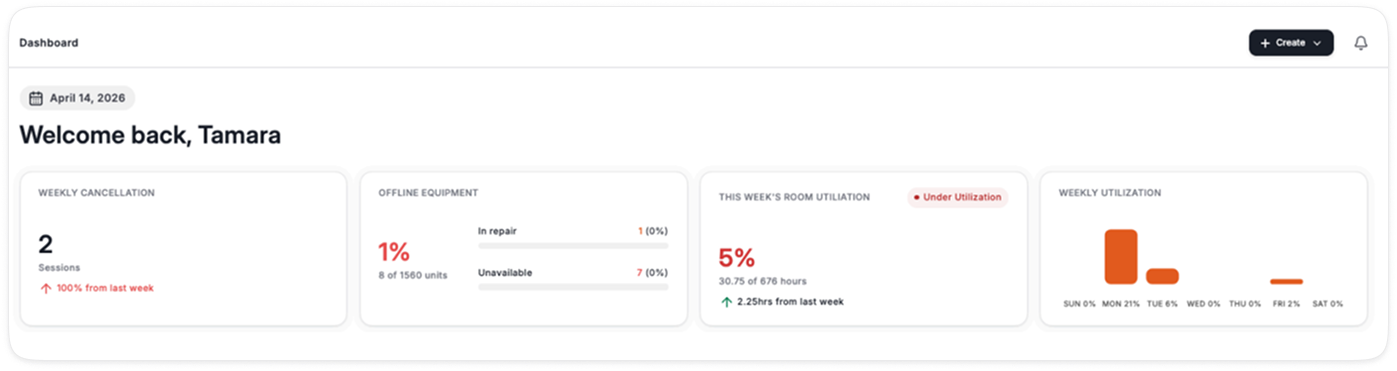
• Future feature: In-situ We recognize that the way in-situ rooms are managed by some centers will impact utilization targets, we are working on a fix to address this by introducing a specific bookable room type that does not impact utilization rates
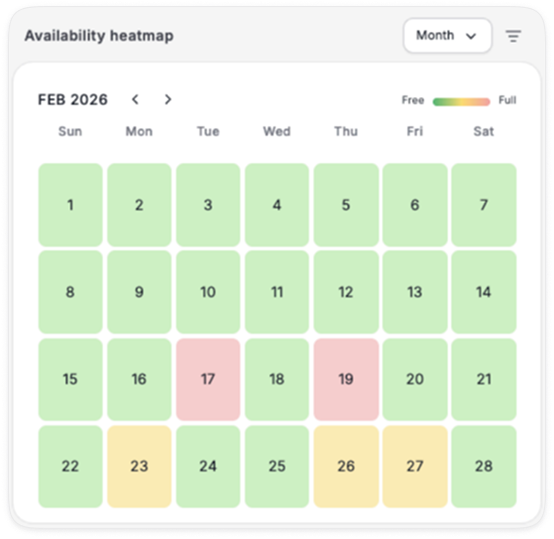
2. Room Availability Heatmap
• Birdseye view of how busy the center is across a month or week
• 90% of bookable capacity booked is red
• 30% - 90% is yellow
• less than 30% is green
• Only bookable rooms are included in the calculations
• Future feature: staff utilization is in consideration as a part of future scope, current heatmap only covers rooms
3. Pending Tasks
• Admins can view priority tasks that require their attention in this section
• This includes new sessions / loans that requires their approval
• As well as sessions / loans requiring completion: quick actions allow for session to be completed from the dashboard
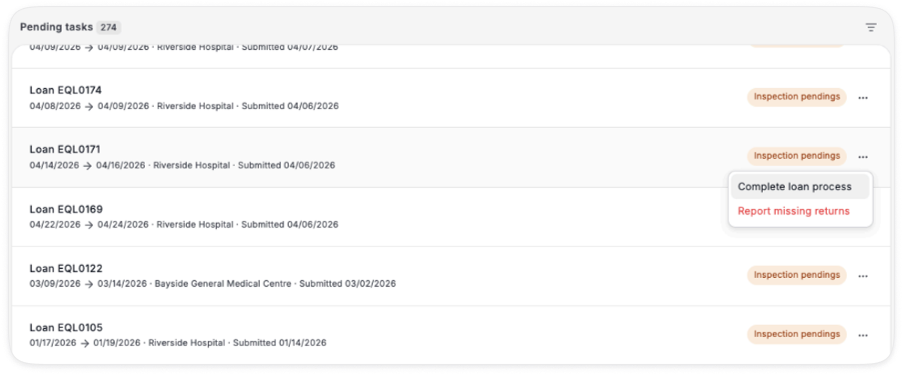
4. Daily Agenda
• This is a quick summary of key activities in a day, which includes Loans and Sessions
• Filters allow for seeing this by site, organization, department and by type of booking
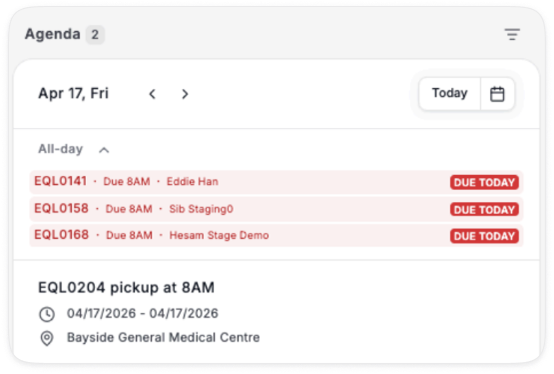
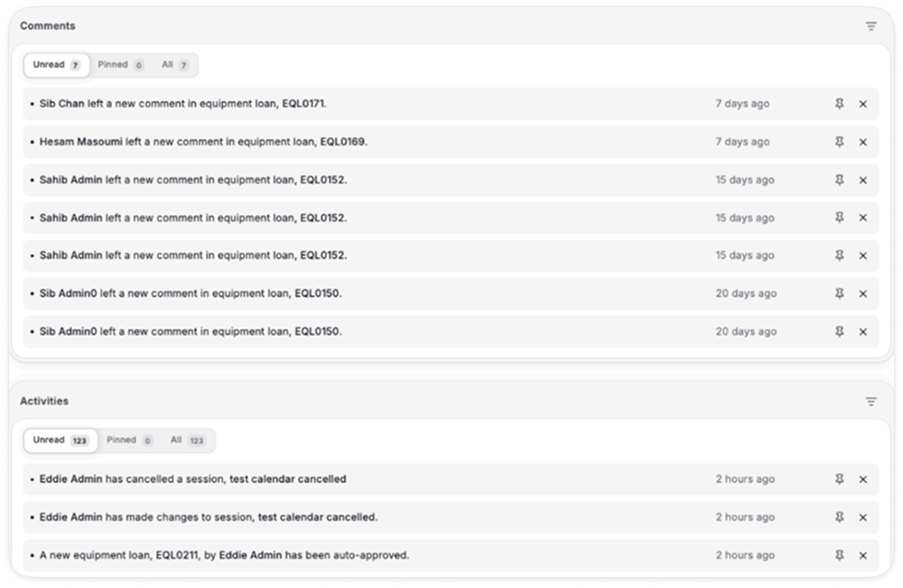
5. Comments & Activities
• Comments and activities have been split out for easier navigation and prioritization
• Both can be Pinned for tracking and follow up
• Filters can be applied to navigate the list
• They can be deleted from the dashboard using the X
• Unpinned items automatically clear after 60 days
SIM team will have the same features as an Admin on the dashboard (outlined above), with the exception that they will not see Operational Performance Metrics.
Coordinators will have the same features as SIM team, with the exception that instead of Pending tasks, they will see Requests and Updates.
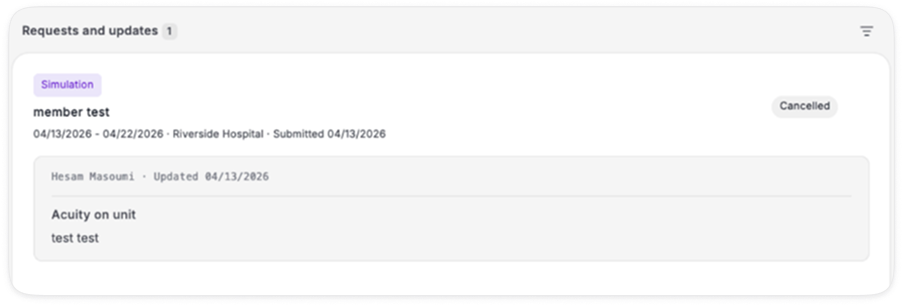
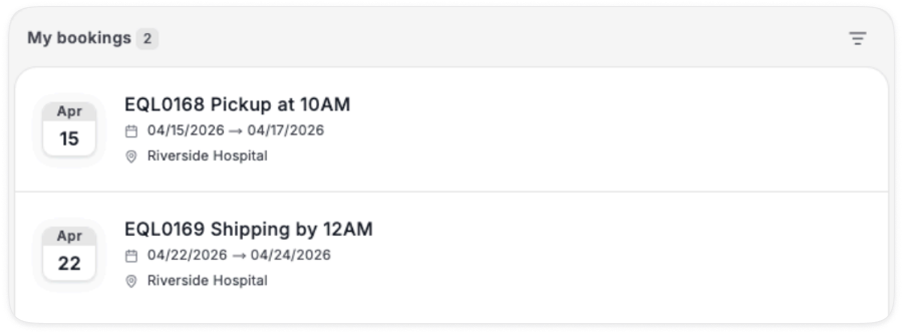
Members will have the same features as Coordinators, with the exception that instead of Daily agenda they will see My bookings, which show their upcoming bookings.
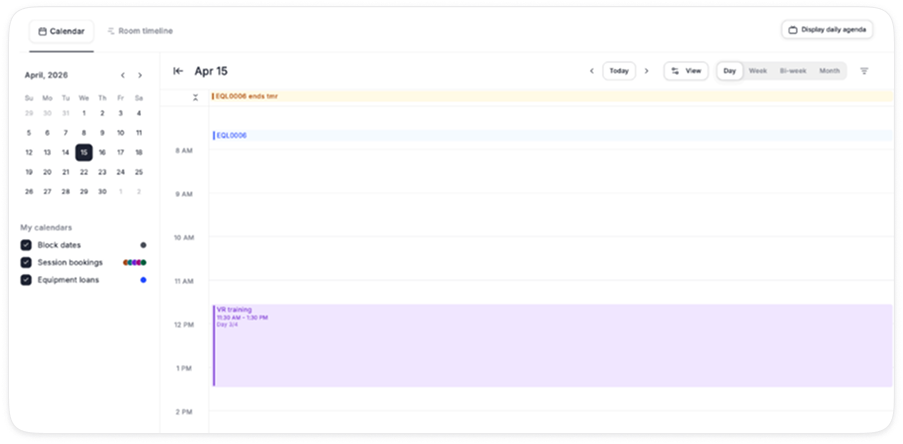
The calendar has been moved out of the Dashboard and is now under Schedule in the left navigation. A few key updates:
• It now lists sessions (instead of activities), and can be viewed by Day Week Bi-week Month
• The default is to show operating hours, but this can be toggled on/off to shownon-operating hours
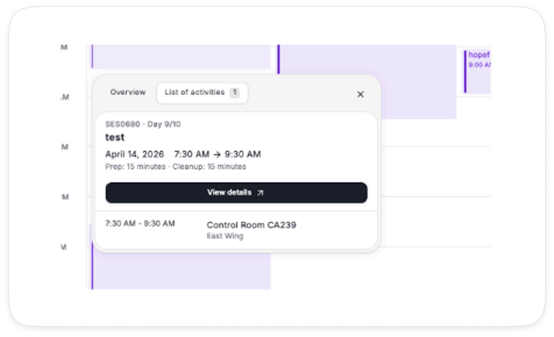
• Activity details can be previewed by clicking on the session
The room timeline has been updated to allow members to be able to access it, so they can quickly scan and see room availability before starting their session booking.
For members, additional details they should not be able to see (i.e. booked by, session details, etc.) have been masked to respect privacy.