|
Help center
A major release that includes the introduction of Skills, Learner Management and Attendance Tracking.
We also introduced more accurate tracking of learner hours for accreditation and reporting purposes, allowing users to track hours per activity.
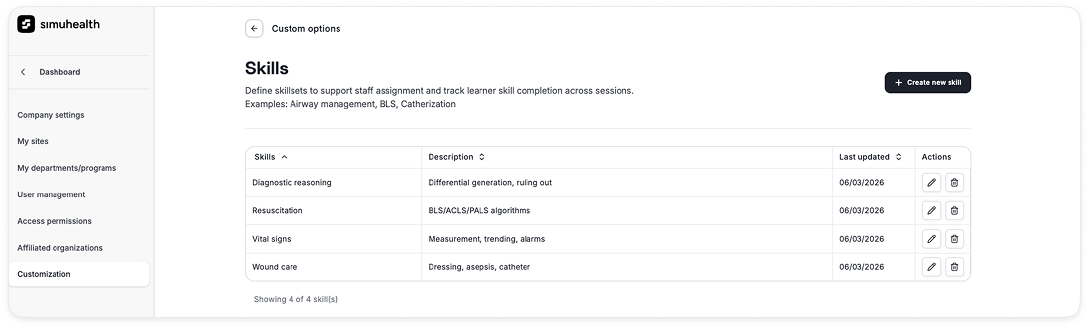
1. Skills: Ability to create and assign skills to sessions
• Admins can create skill categories
• Skills can be used to tie to learner competency and in the future
matching of staff and standardized patients to a session based on fit
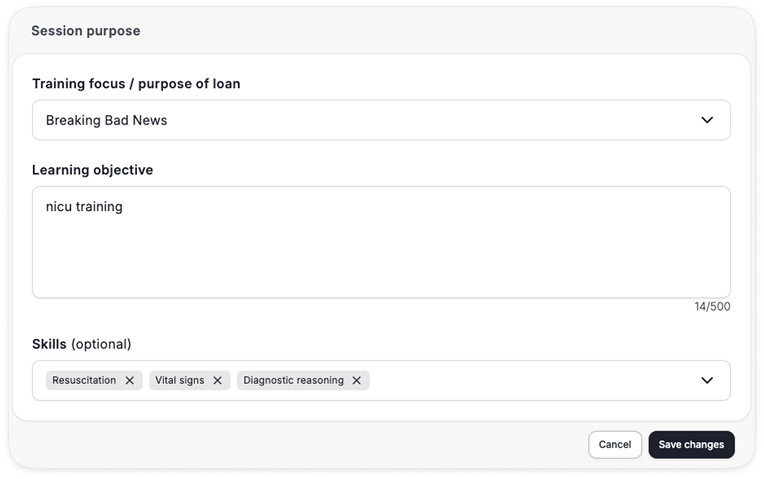
• During session creation, you can tag sessions with the relevant skills,
which can be tied to the scenario and learning goals of the session
2. Learner Groups
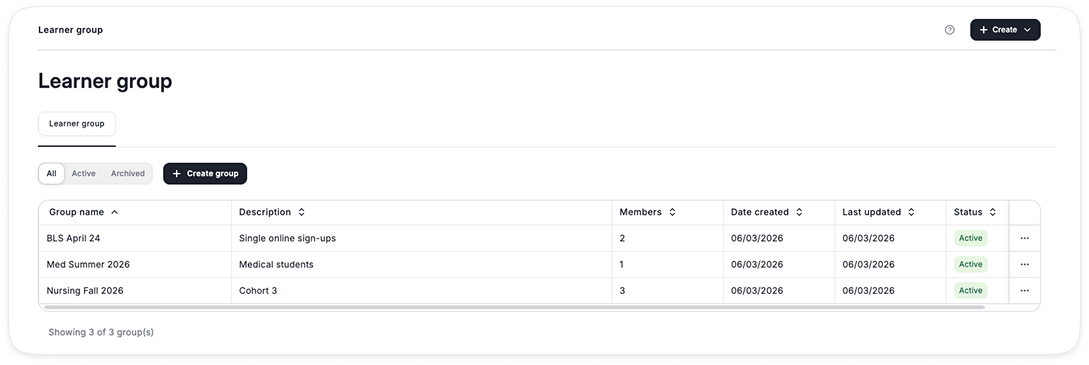
• Admins can create and manage Learner Groups
• These can be used to invite groups of learners to sessions and manage cohorts
• Learner Groups can include 3 types of learners
Note:if the guest later creates an account, they will automatically inherit all of the sessions they were invited to for a seamless transition
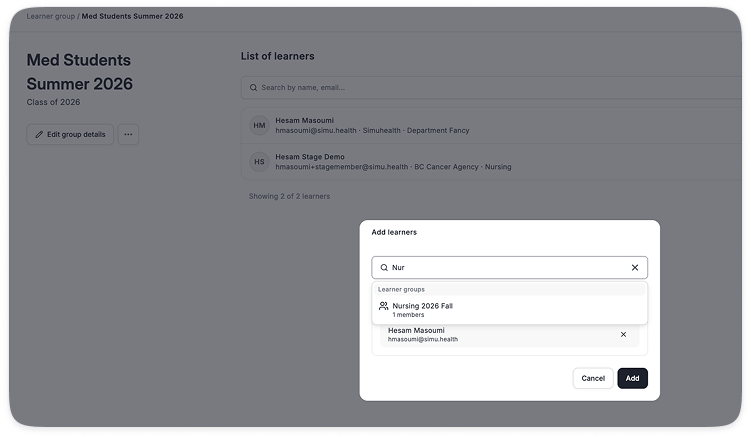
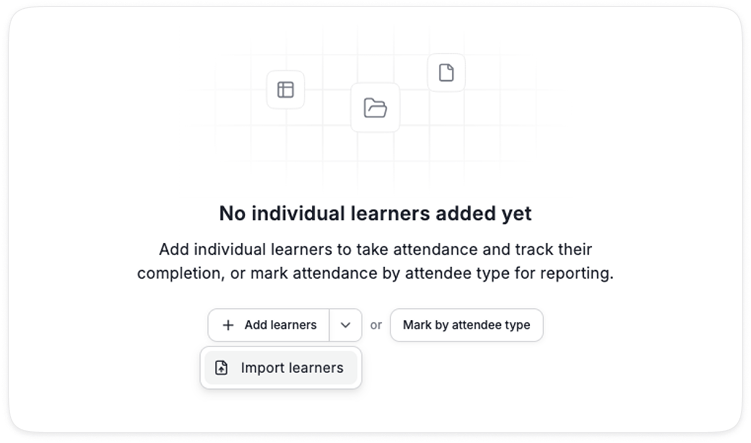
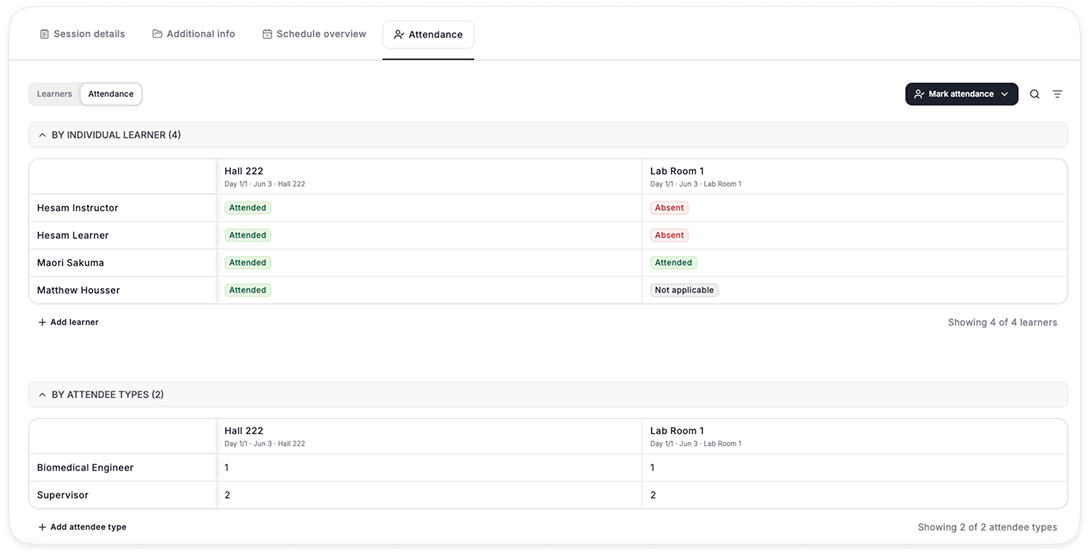
3. Attendance by Individual Learner
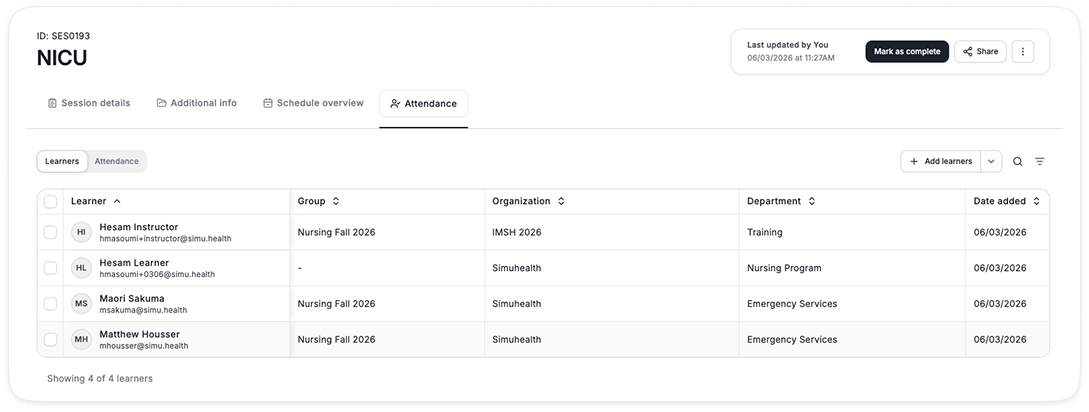
• Users can be added to a session as a learner, individually or via bulk upload as a group
• Adding a user as a learner makes the session visible to the user when they login, and they receive all notifications related to the session (i.e. cancellation, modifications, etc.)
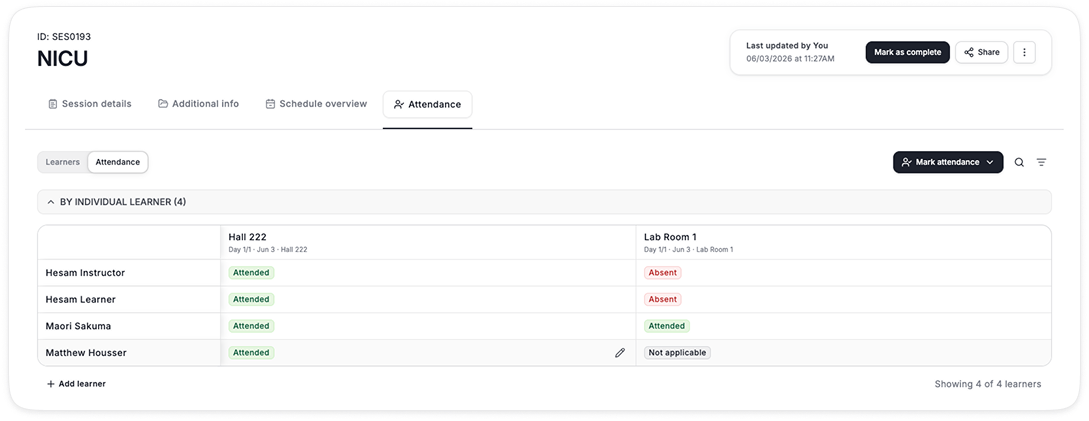
• The learner’s attendance can be tracked by activity or for all activities at once
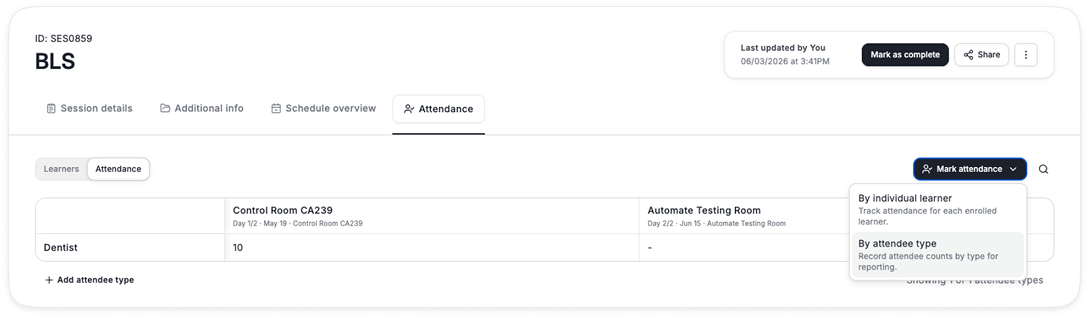
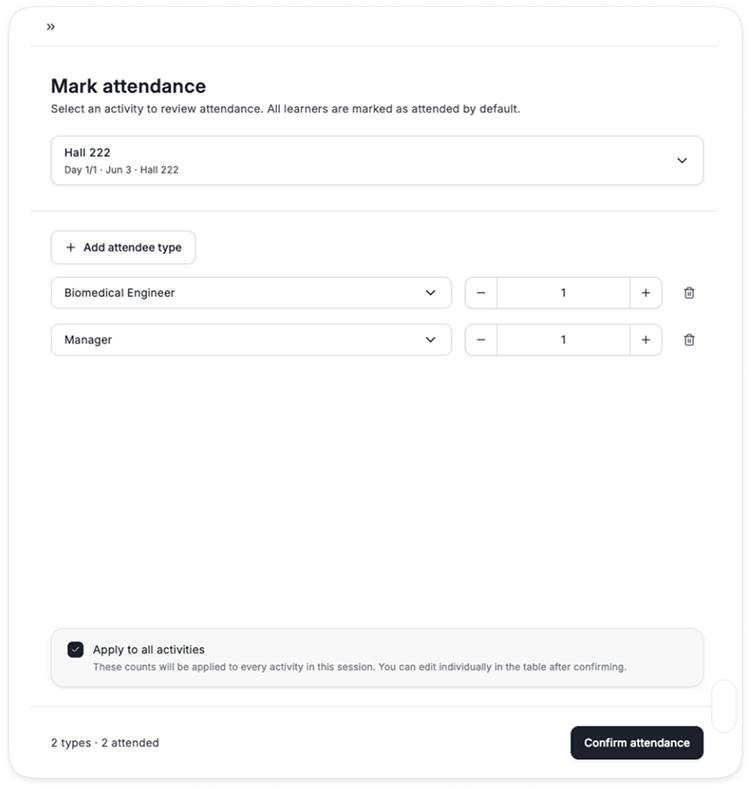
4. Attendance by Learner Type
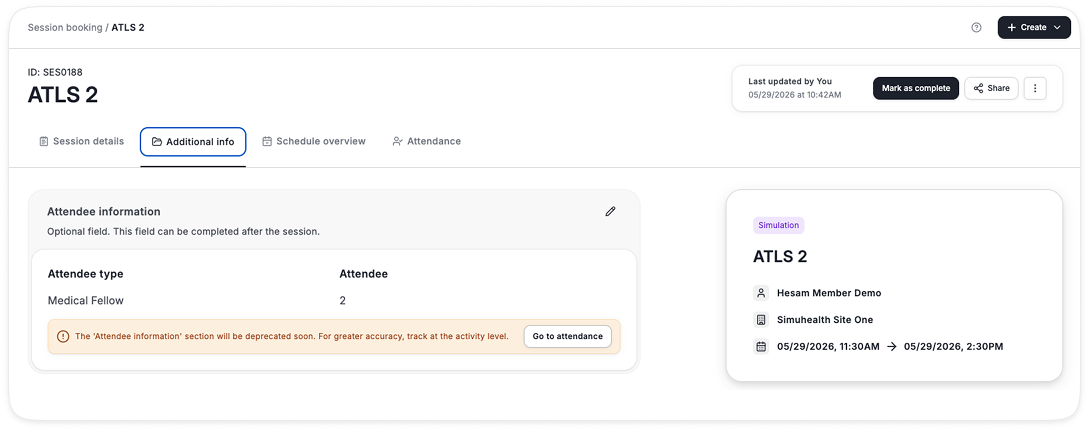
• We know attendees don’t always get tracked at the individual level (by name), and some programs require tracking by learner type
• You have the option to select either or both options, which all impact learner hours
• You can mark attendance by each activity, and apply to all activities if everyone is attending all sessions
• You can further edit each attendee’s hours against each activity
5. Learner Role
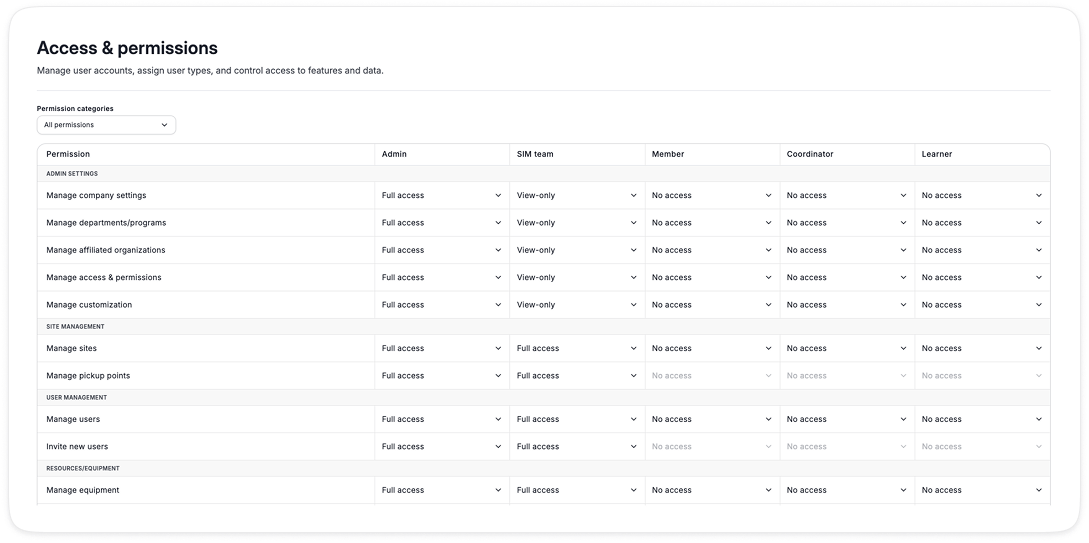
• A new role has been created under permissions
• This user by default can only see sessions they have been added to as an attendee
• They have no other permissions
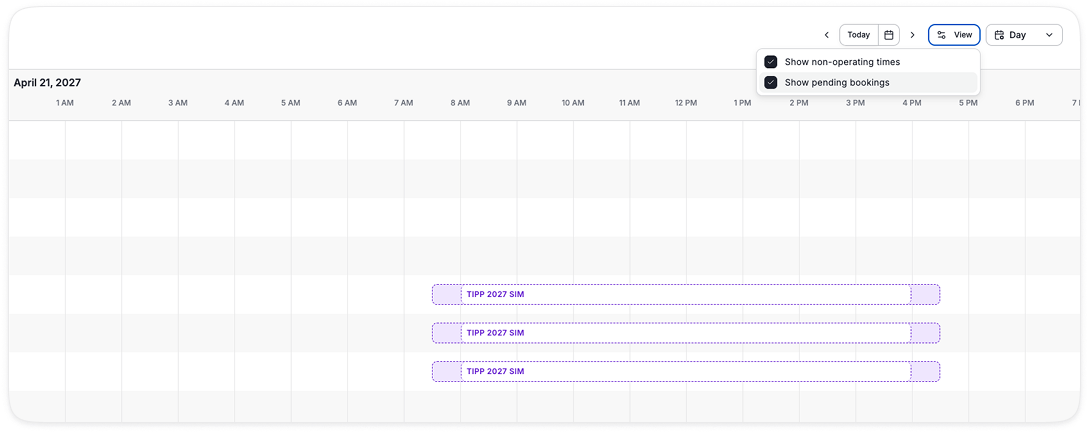
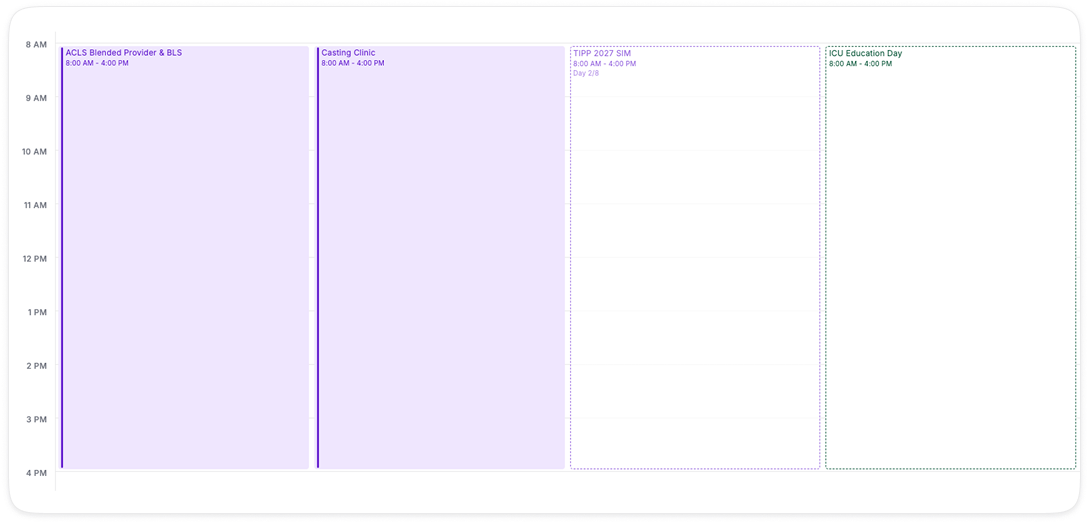
1. Pending Sessions (not yet confirmed by Admin) now show in calendar and timeline to help clarify why a resource is not available
It can be toggled on/off in different views
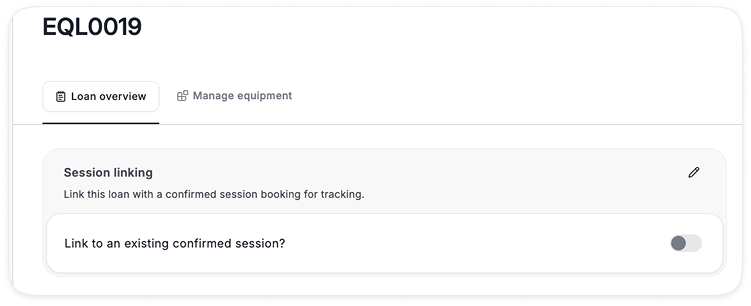
2. Existing loans can now be linked to an existing session using the edit button
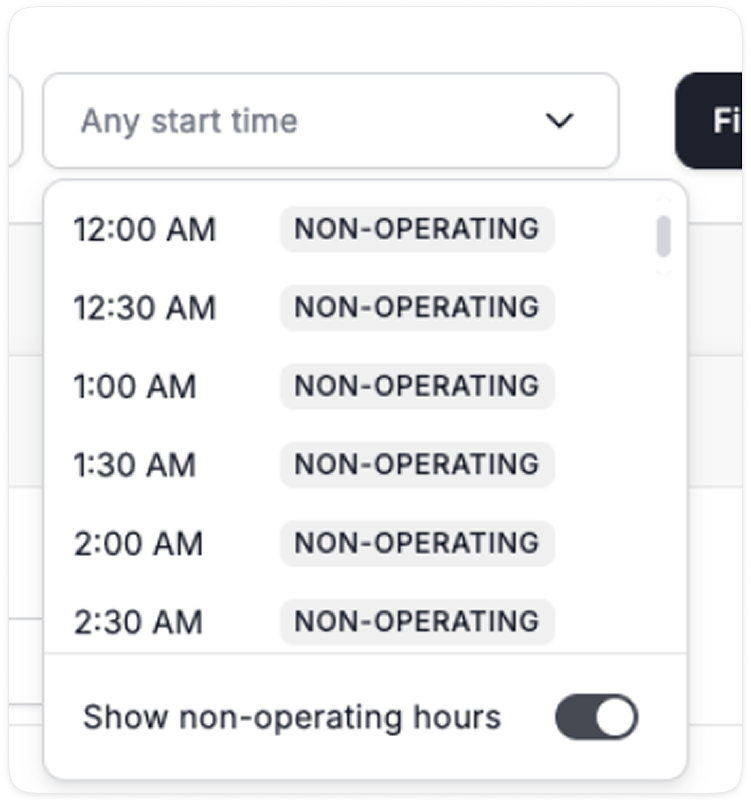
3. Non-operating-hours search now includes blocked time for Admins