|
Help center
This release includes a number of major upgrades to existing features and functionality along with UI enhancements.
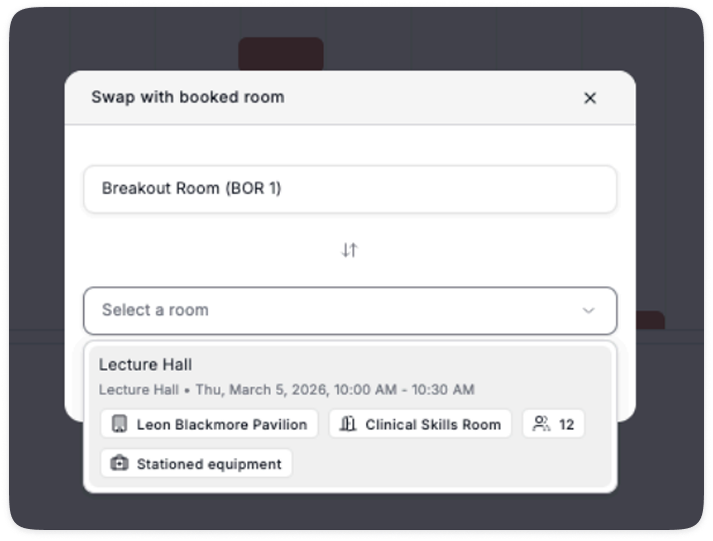
Admins can now swap a room that already has a booking, making it easier to make edits to an existing session. This feature is limited to Admins, members can only change rooms if a room is available.
1. Open the session drawer by clicking the room name on an existing booking on the timeline
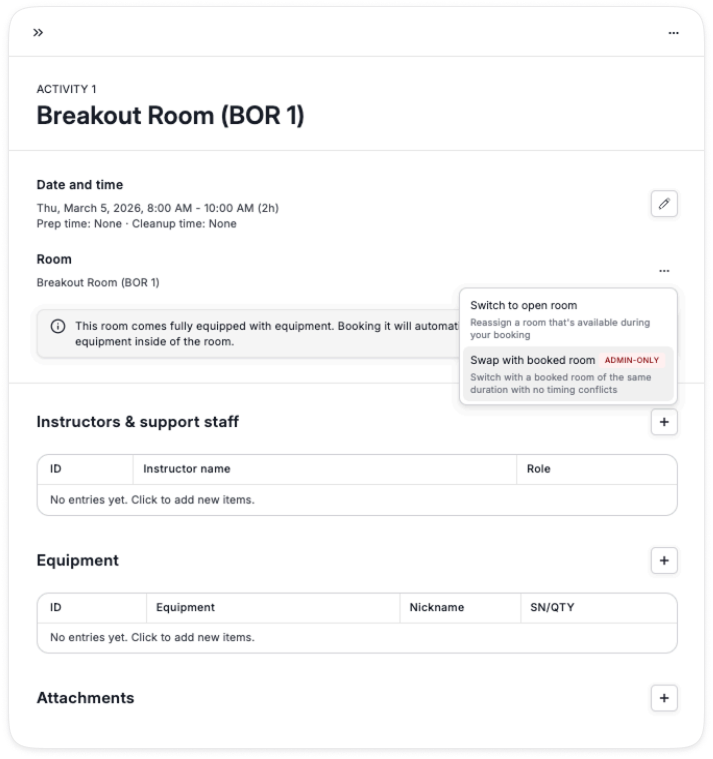
2. Use the ... drop down next to room's room name
3. Select Swap with booked room
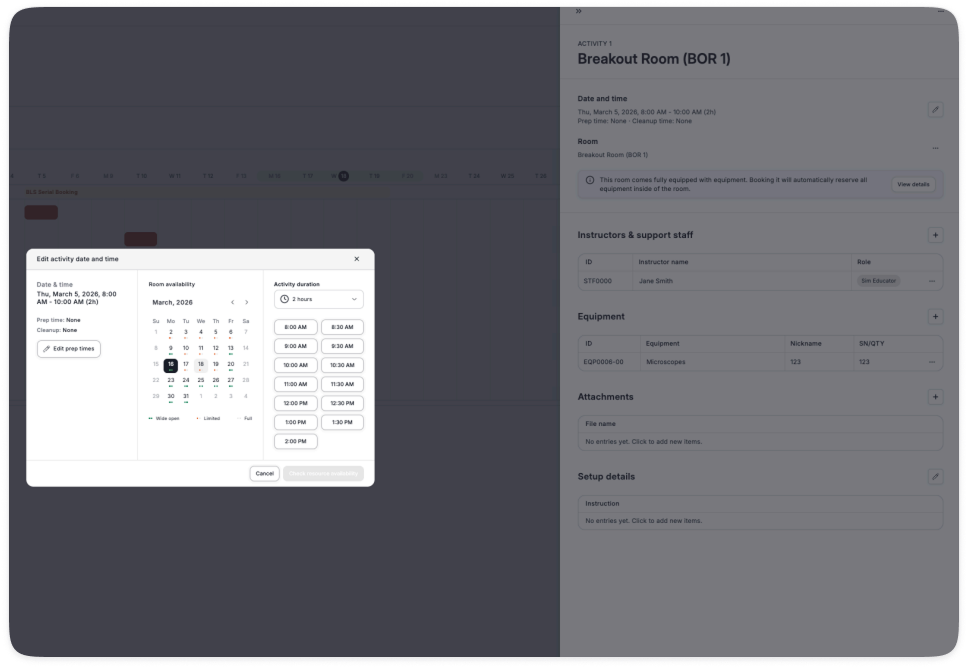
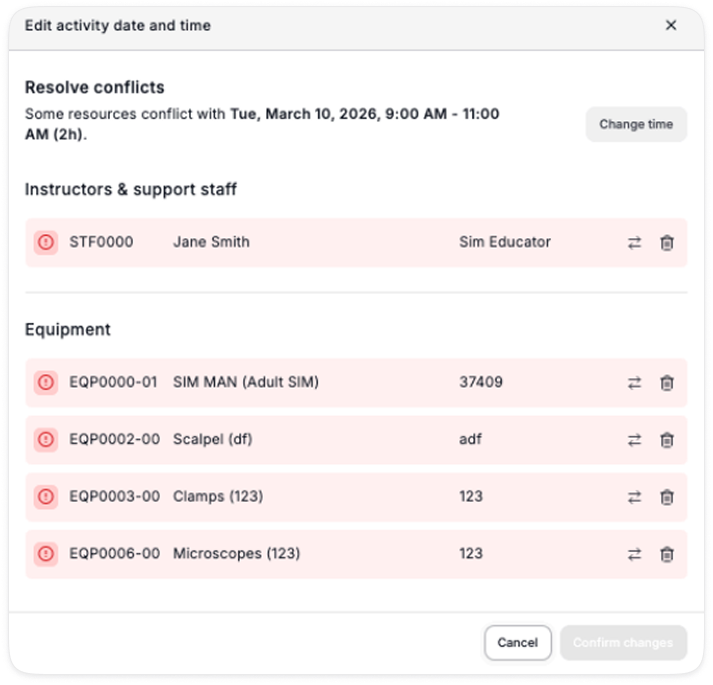
Updates to allow for easier edits to an existing activity.
This file is now offered in .xlsx (Excel) format, making it more legible.
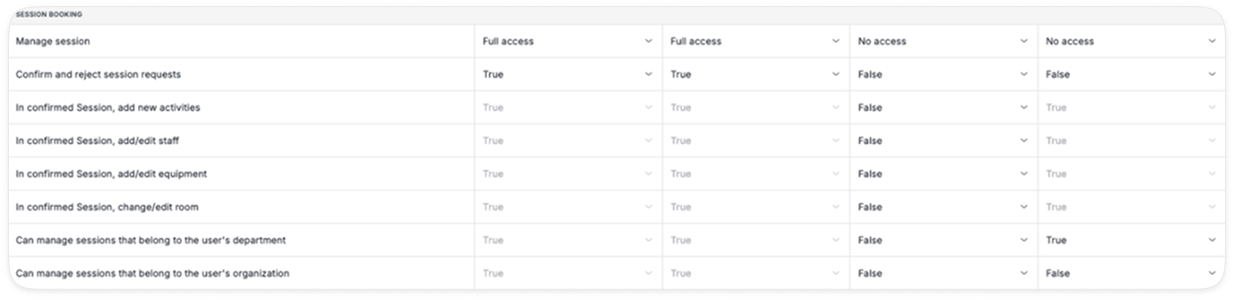
There is now a 4th role that can be assigned to users (in addition to Admin, SIM Team, Member)
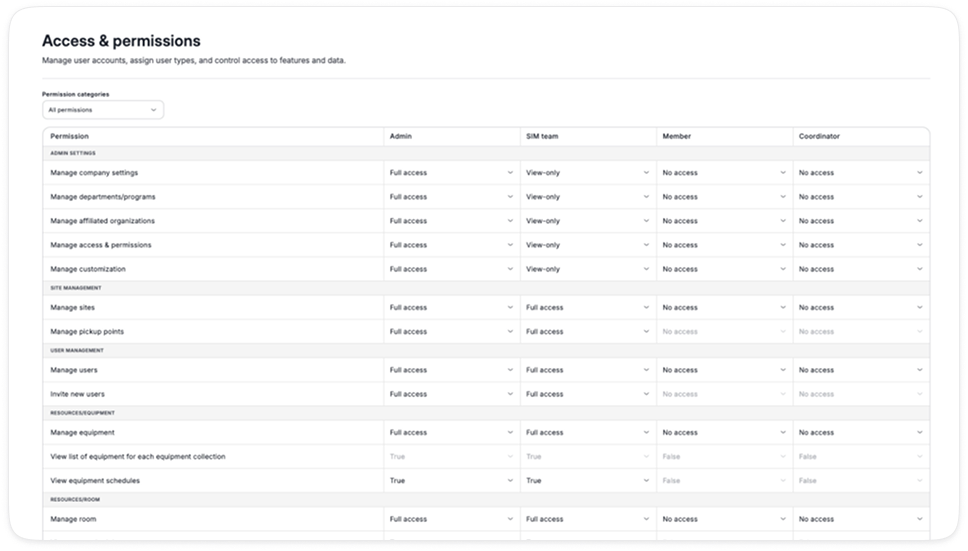
We have added new permission settings, notably you can now give users the ability to edit confirmed sessions and configure what can be edited (e.g. equipment, staff, room, etc.) when it is a confirmed session.
We have also reduced and simplified the options, please review this table in detail to ensure your users have the right permissions.