|
Help center
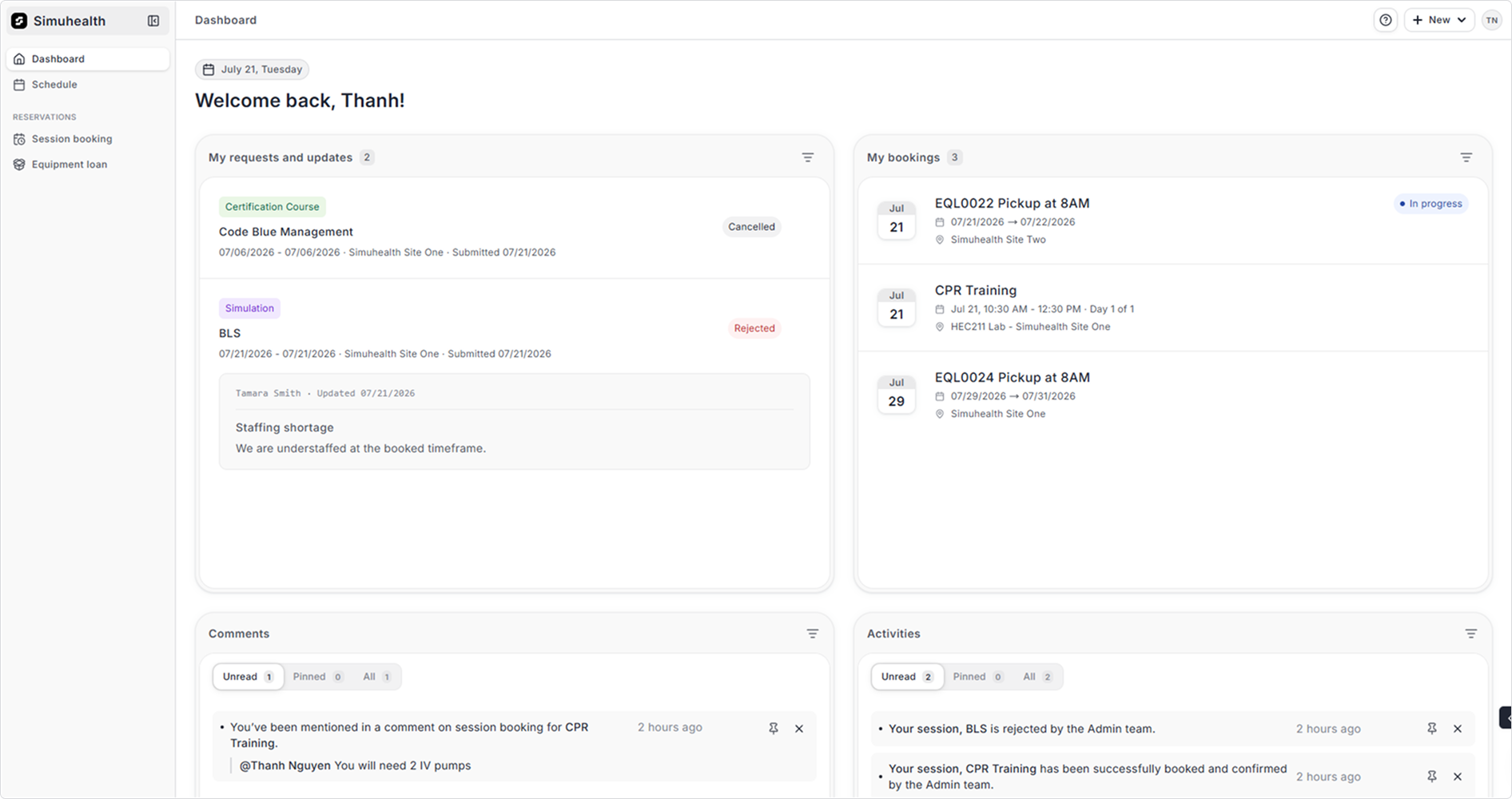
The dashboard is intended to summarize the most important items for you. You can find your requests, bookings, comments and activities.
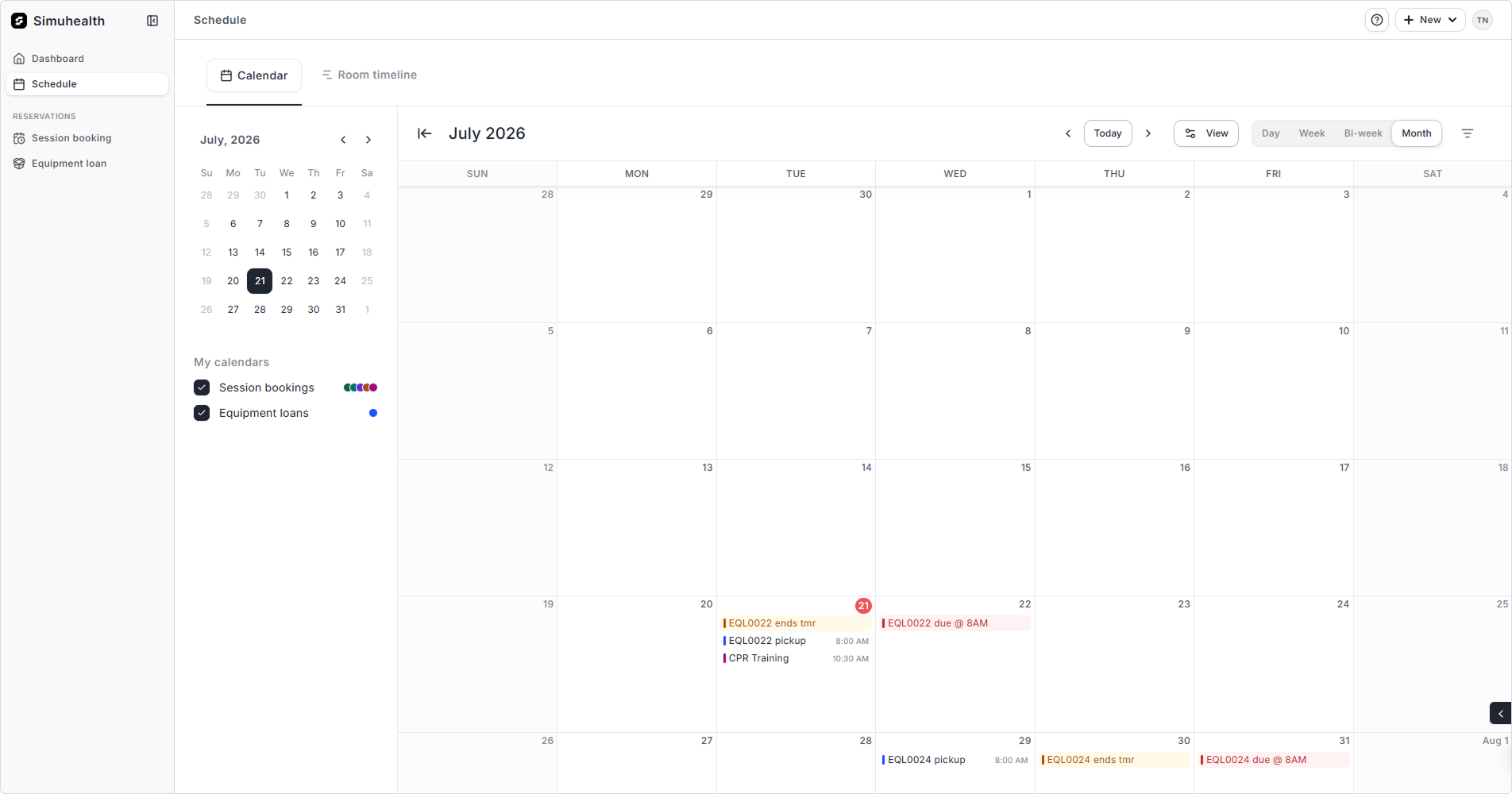
To see a full calendar of your sessions, navigate to Schedule. You can filter by Session Bookings, Equipment Loans or Blocked Days. You can see non-operating hours by toggling this filter.
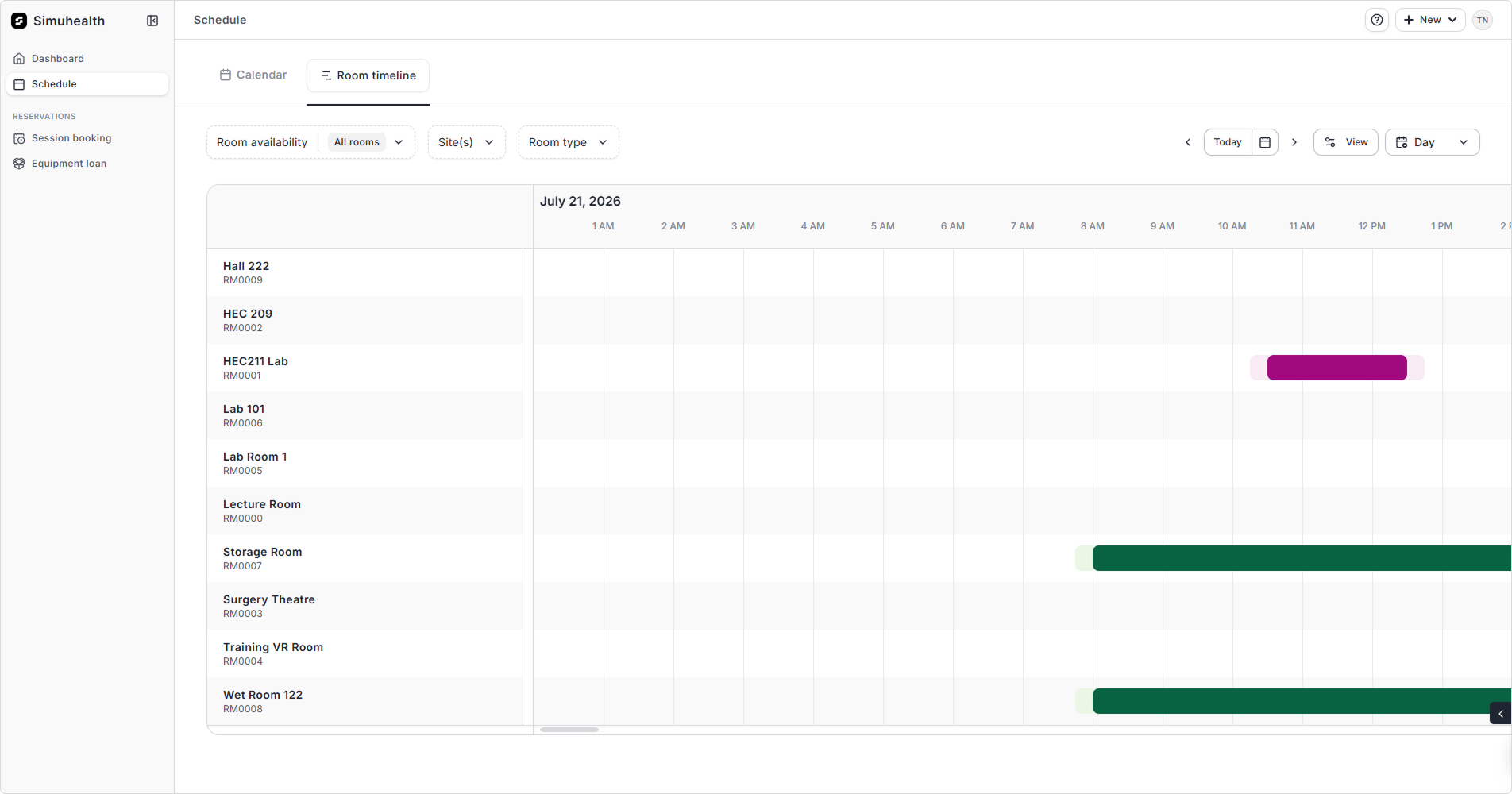
You can also see room bookings across the center under Room Timeline. Use the filters to narrow down your selection and time period.