You can copy the structure of a session, including rooms, resources and staff and replicate the structure for another date.
It will space the dates with the same cadence, but you can edit this before creating the session.
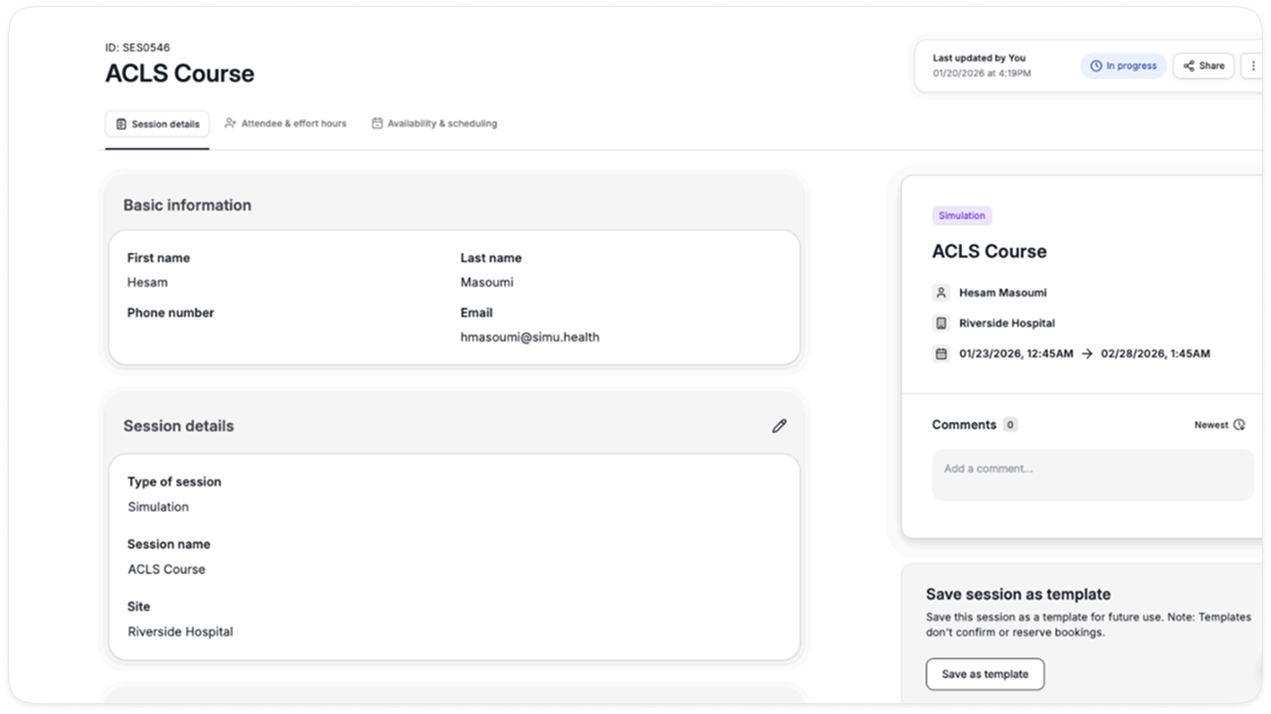
In order to do this, please go to any existing session and click “Save As Template”
This can be done on the session details page.
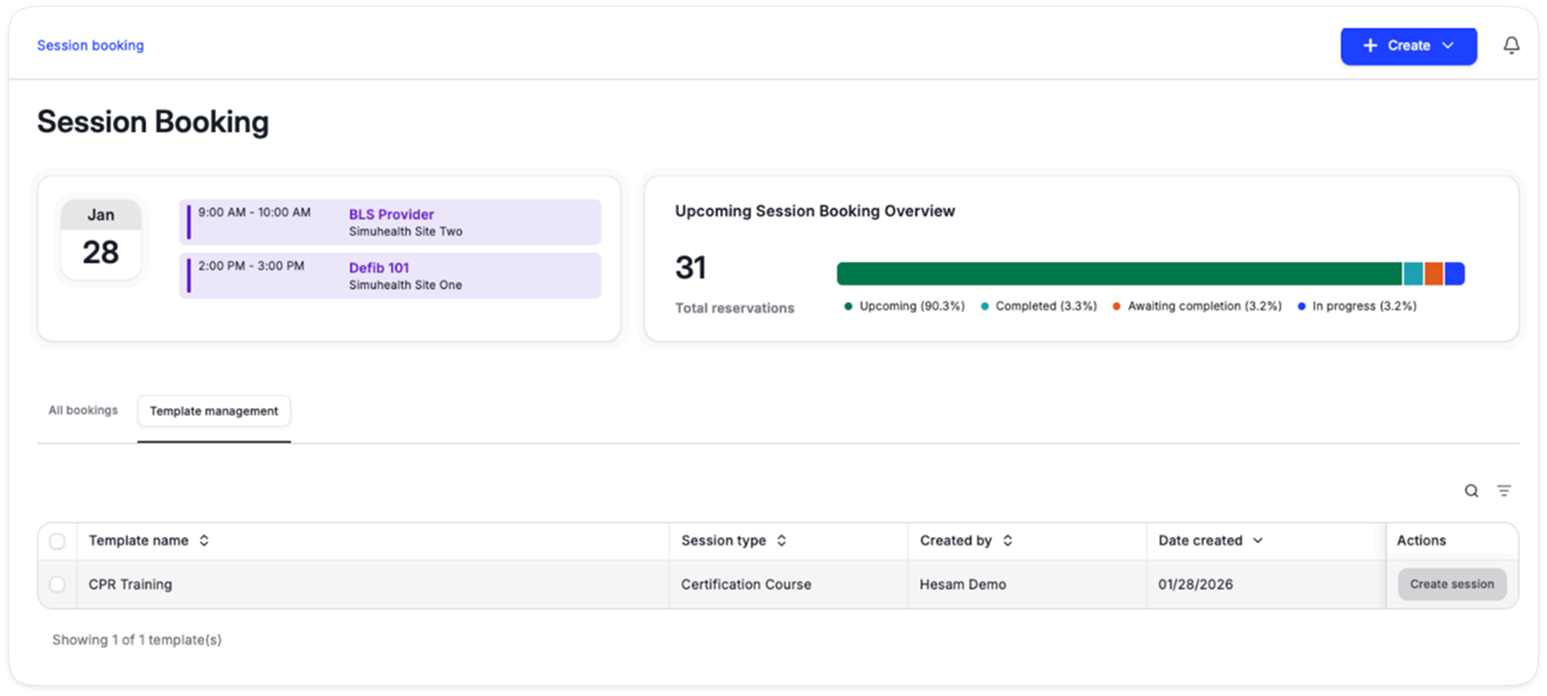
Once the template is created, you can access it under Session Booking > Template management
The saved template (e.g. CPR Training) will take a snapshot of the session and create a session with the details and resources prefilled, which can be edited during the creation flow.
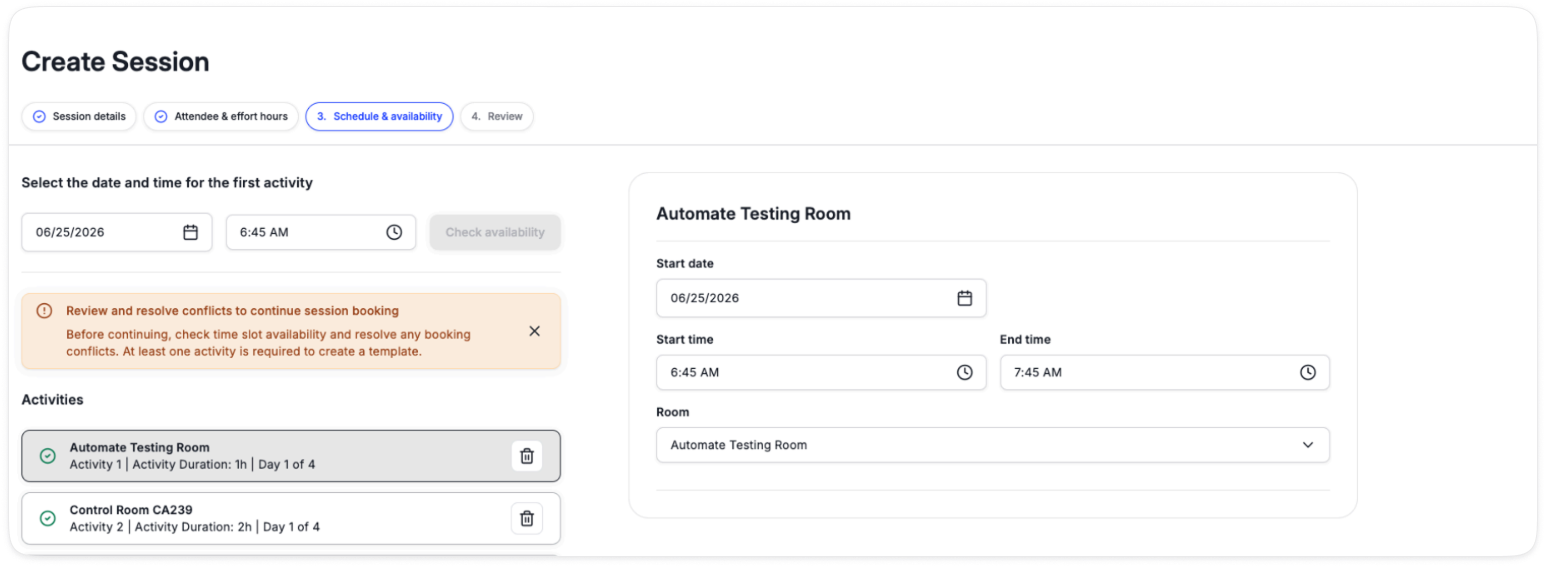
The system will check to see that all of the resources are available, if they are not it will ask you to make a change (swap rooms, equipment, dates or remove the activity from the session).
You can only create the session once all of the conflicts have been resolved, to avoid double booking issues.
Each user has their own unique library of templates, and can create a template from any session they have access to (including if the session was shared with them).