|
Help center
This release rebuilds equipment management, makes session templates easier to find and reuse, and improves filtering across tables and charts.
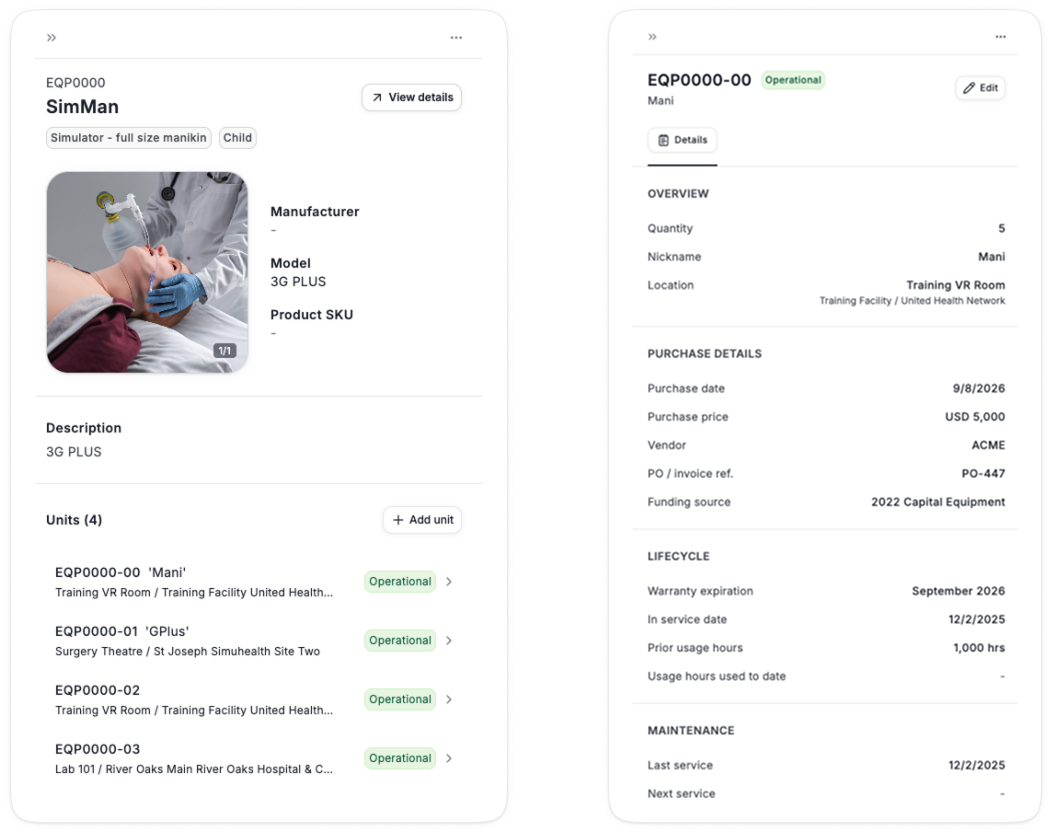
Track the full life cycle of each item: purchase date, price, vendor, PO, funding source, warranty, service date, and previous usage hours.
Next service dates are auto-generated from scheduled downtime
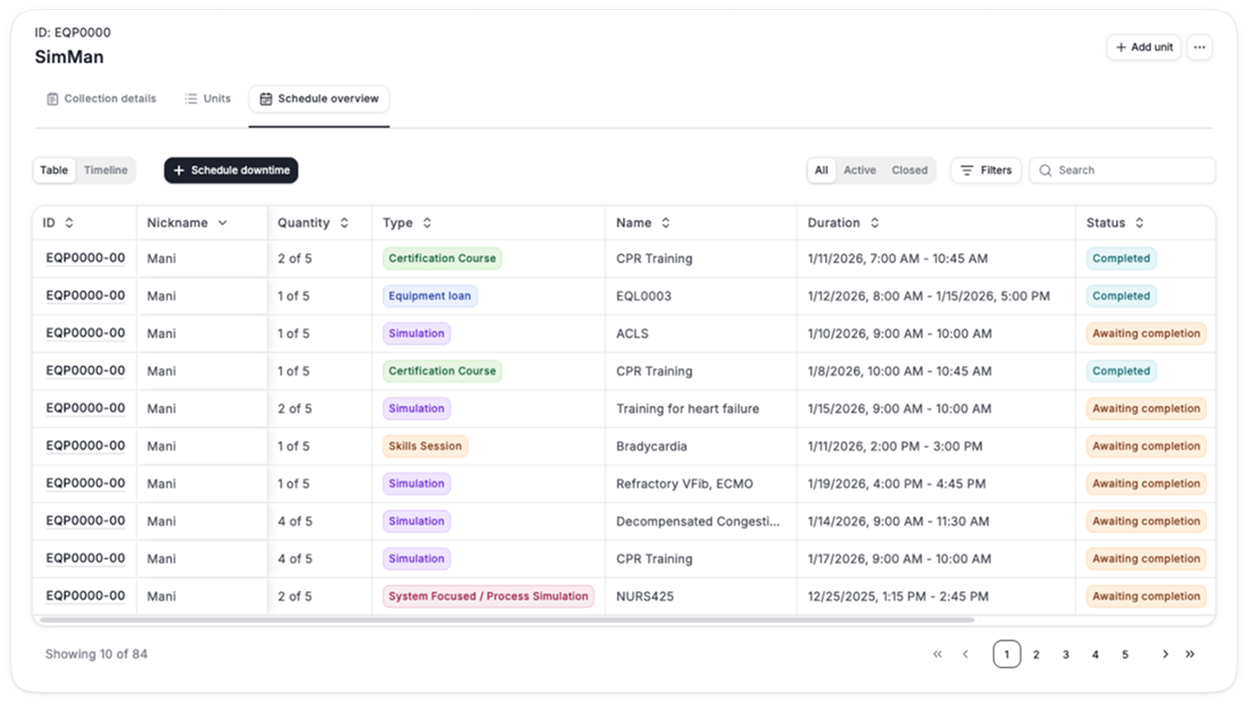
See all equipment bookings in a detailed table view, with booked hours per item.
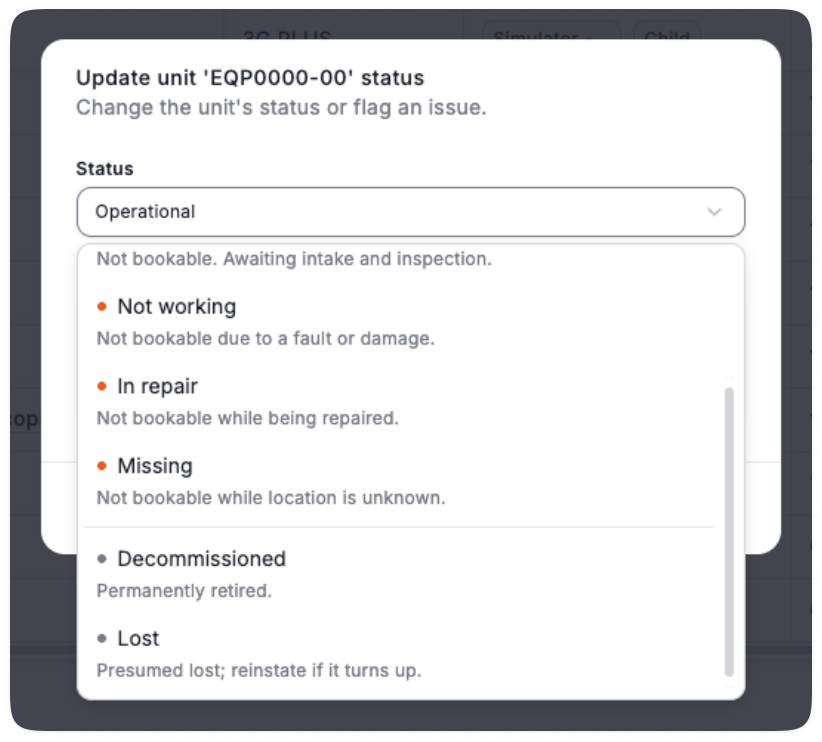
Additional equipment statuses to capture the necessary information: Operational, Inbound, Unavailable, In repair, Missing, Decommissioned, Lost
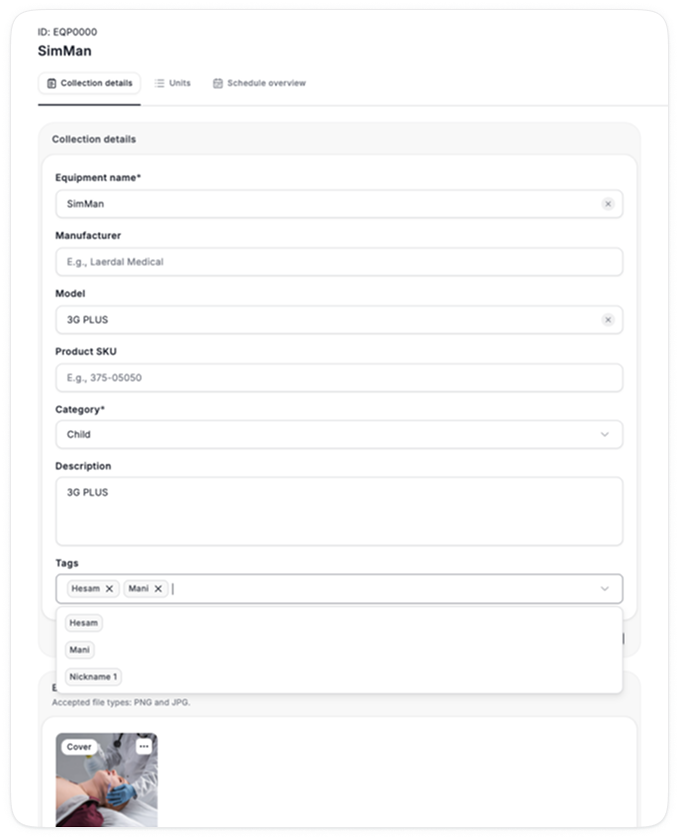
Equipment can now have tags, so they are searchable by other names.
More equipment enhancements are underway and will be released over the next few weeks:
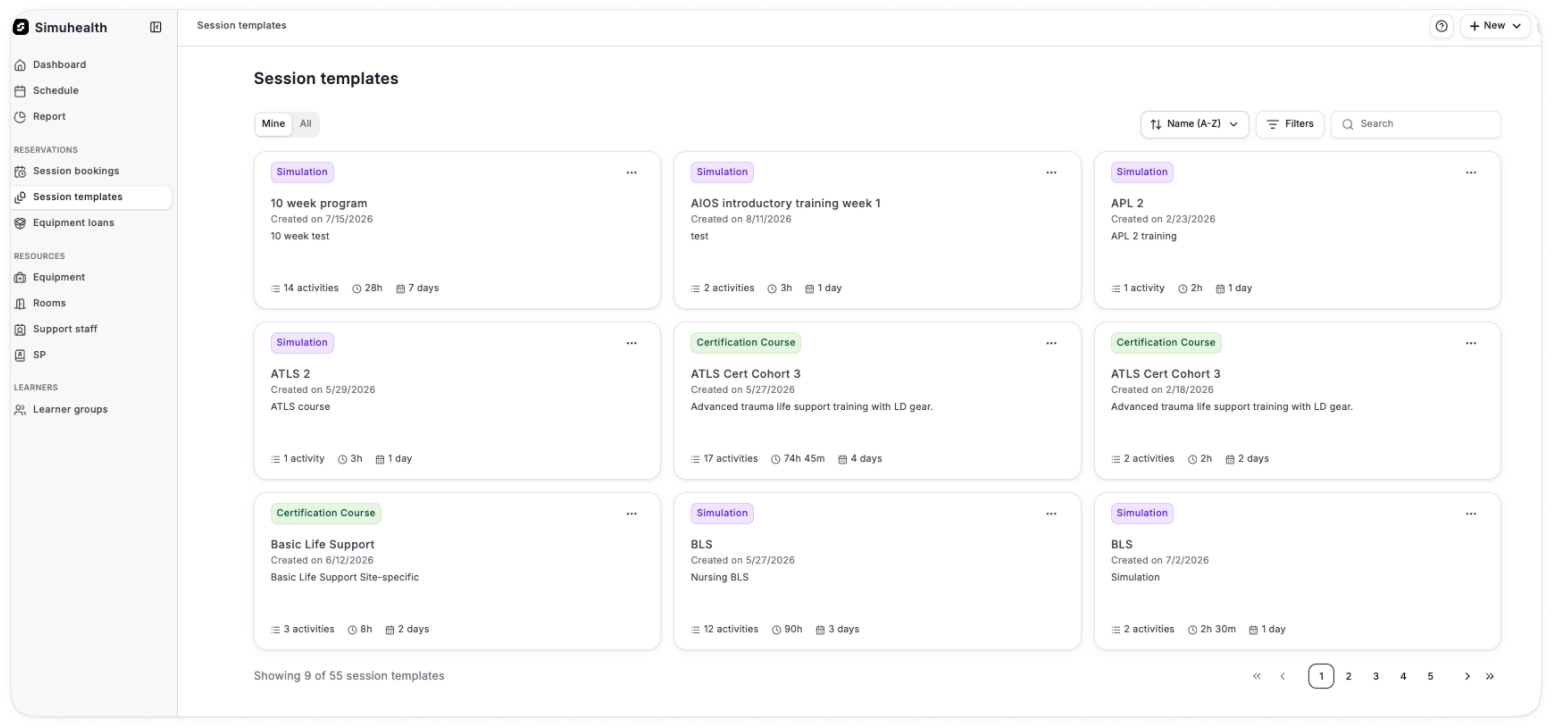
Templates now show activity count and total duration at a glance, so you can pick the right one without opening it
They are searchable, filterable and sortable
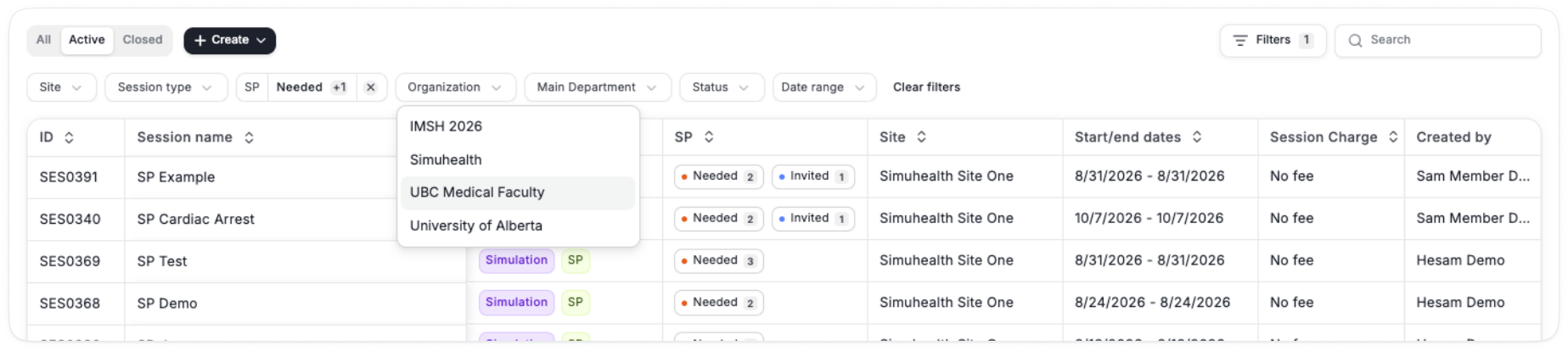
More options for filtering and easier multi-selection of filters across tables and charts