/
/
September 23, 2026
Release note
September 23, 2026

This release adds history and comments to equipment, and introduces Block session requests so simulation centers can pause incoming requests for specific dates when they're over capacity.

1. Equipment history & comments

See every change to an equipment item and discuss it in one place.
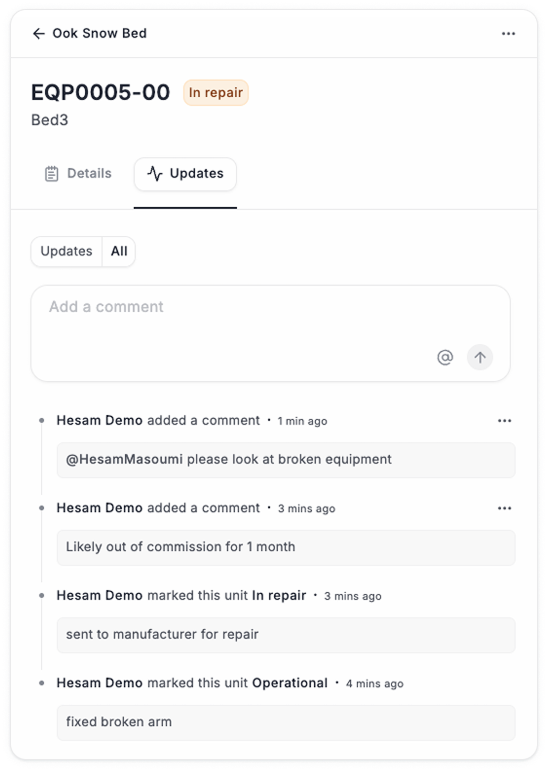
  • ‍History log: Track changes to status, quantity, and availability on each equipment.
  • Comments: Leave comments and @mention colleagues to loop them in.

‍

‍

2. Block session requests

Pause new session requests when your center is over capacity or short-staffed, without affecting utilization reporting.

  • Block requests on one or more dates, for one, several, or all sites.
  • Admins and SIM Team can still create sessions on blocked dates.
  • Members and Coordinators see blocked dates as unavailable.
  • Utilization capacity stays unchanged (vs. Block dates where utilization capacity is removed)

‍

How to use it

‍

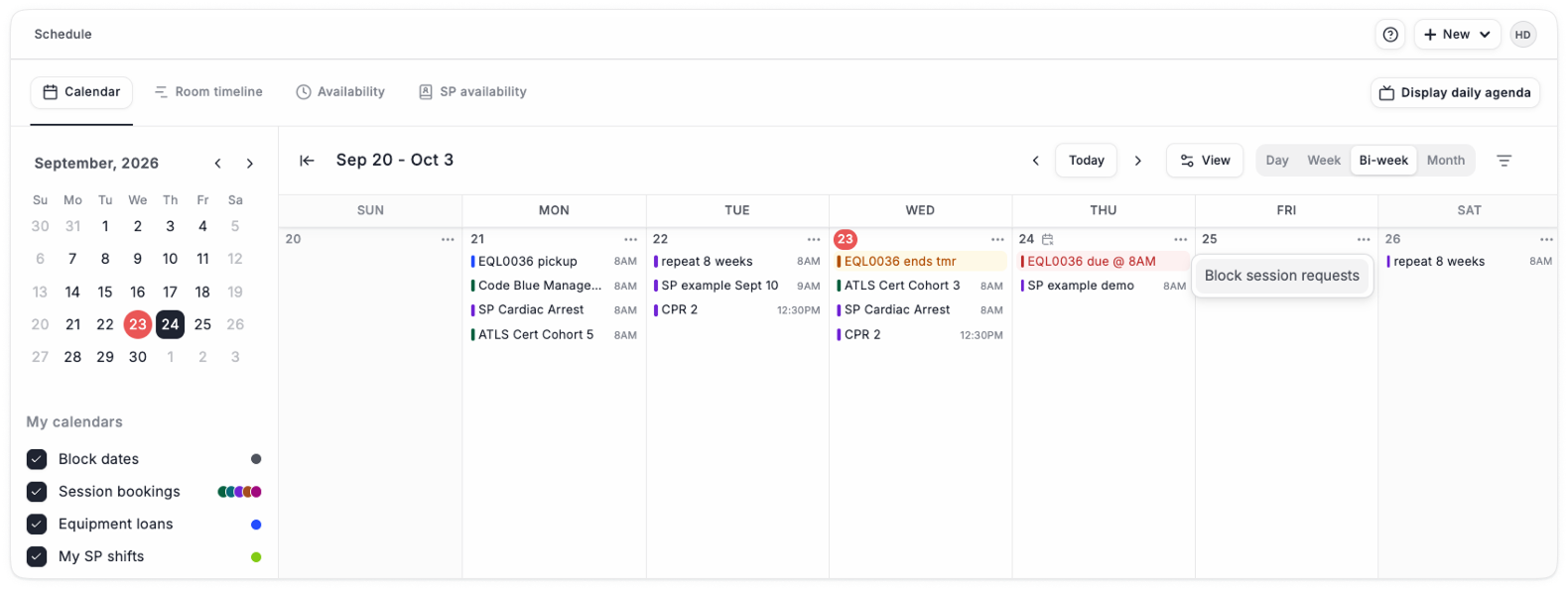
  1. From the Calendar view, add a Block session request

‍

‍

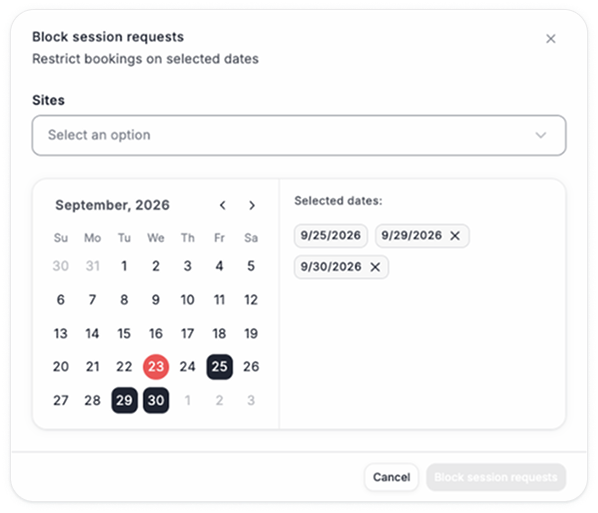
  1. Select one or more dates

‍

‍

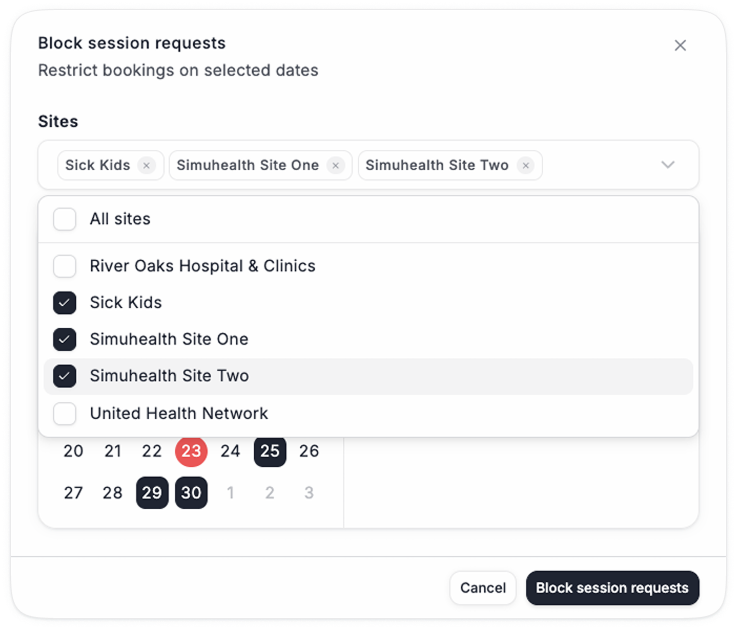
  1. Select one, several, or all sites

‍

‍

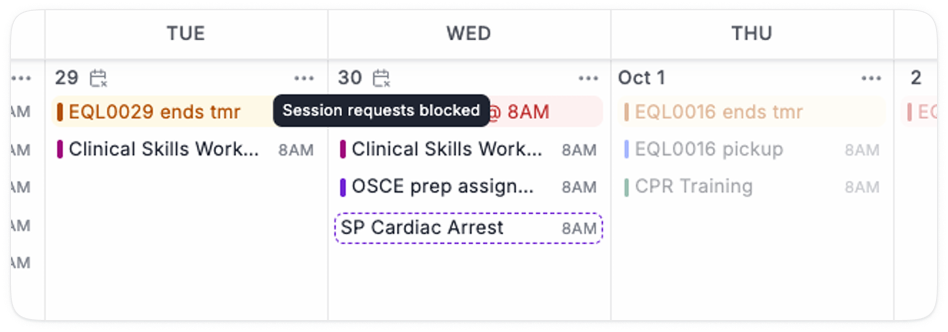
  1. View Blocked dates on the calendar, and edit or remove them

‍

‍

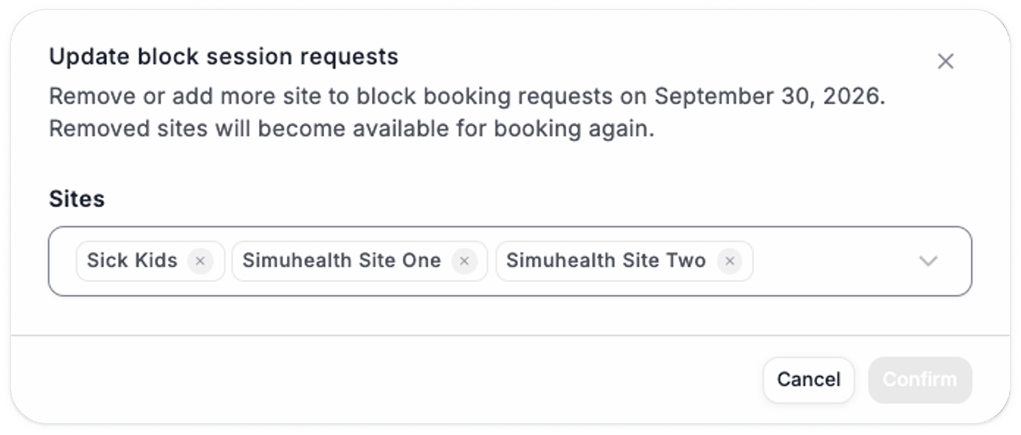
  1. Update the blocked sites, or remove the block entirely

‍

‍