|
Help center
This is a major release that includes the introduction of Issues, an automatic feature that identifies future operational issues and lets you resolve them before they have a negative impact.
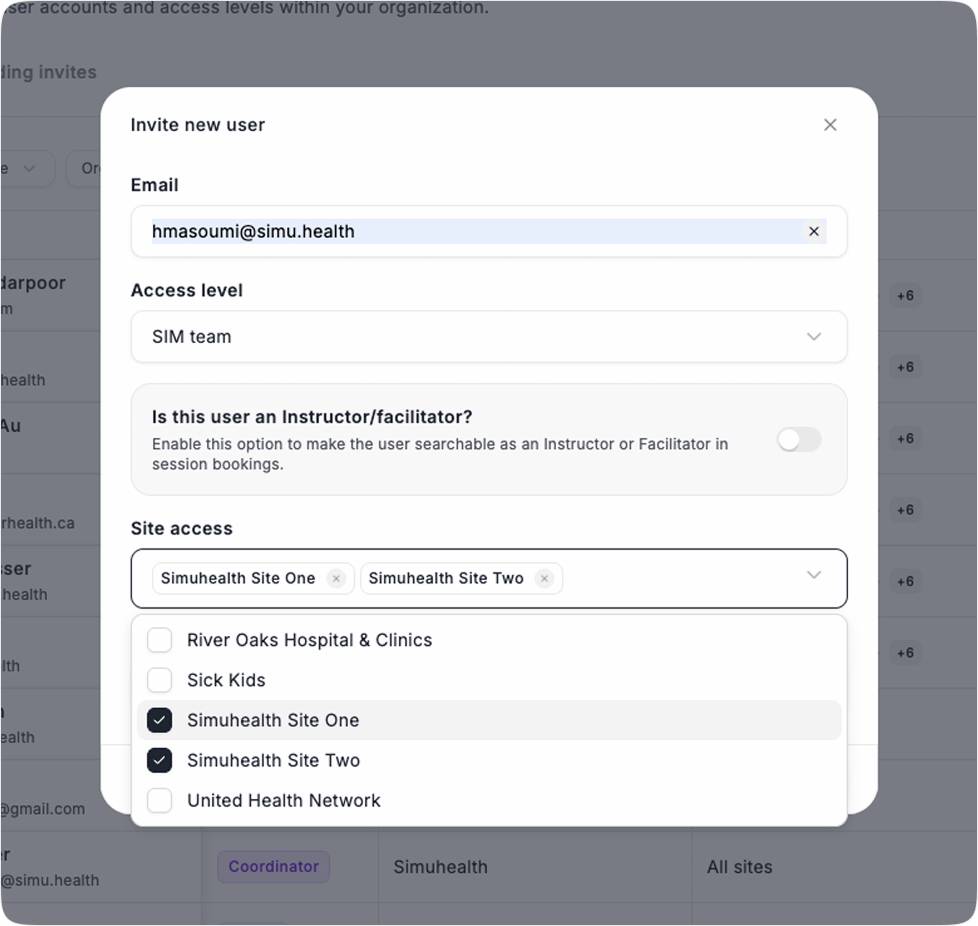
In this release we also give SIM Team members the ability to be assigned to a site, allowing them to focus on all of the operational management of their assigned site(s) only.
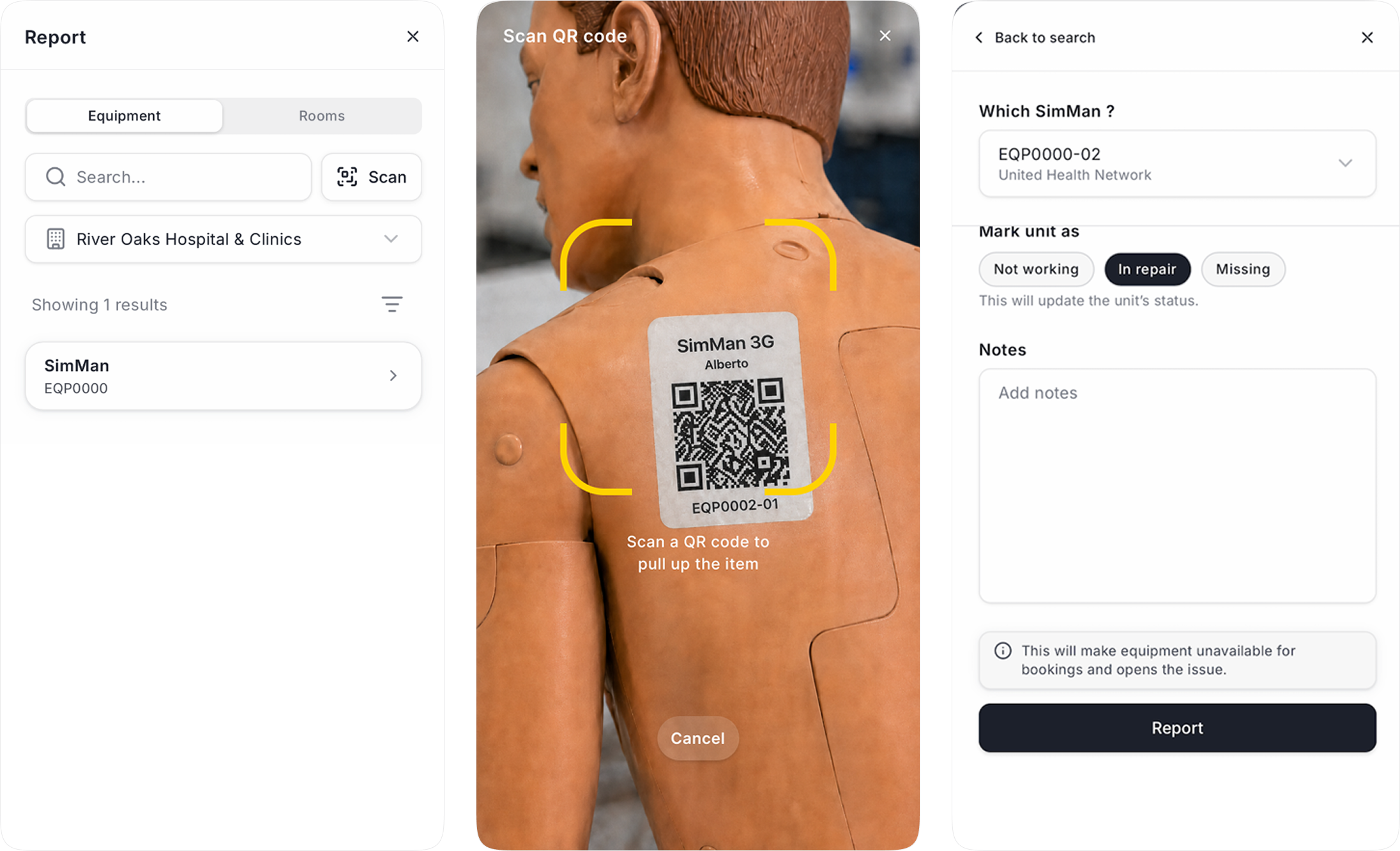
Finally, we’ve updated our mobile experience to have more functionality based on roles, including the ability to report equipment and room issues on the go.
Simuhealth now creates an issue when a change affects an upcoming session or loan, such as equipment marked missing or in repair, a room made unbookable, reduced equipment quantity below what is required, or a late loan return
Issues close on their own once the problem is fixed, for example when equipment is back in service, swapped out of the session, or the session is cancelled
Only changes that affect future bookings create an issue, so your list stays focused on what needs action
Example: Issue creation & resolution
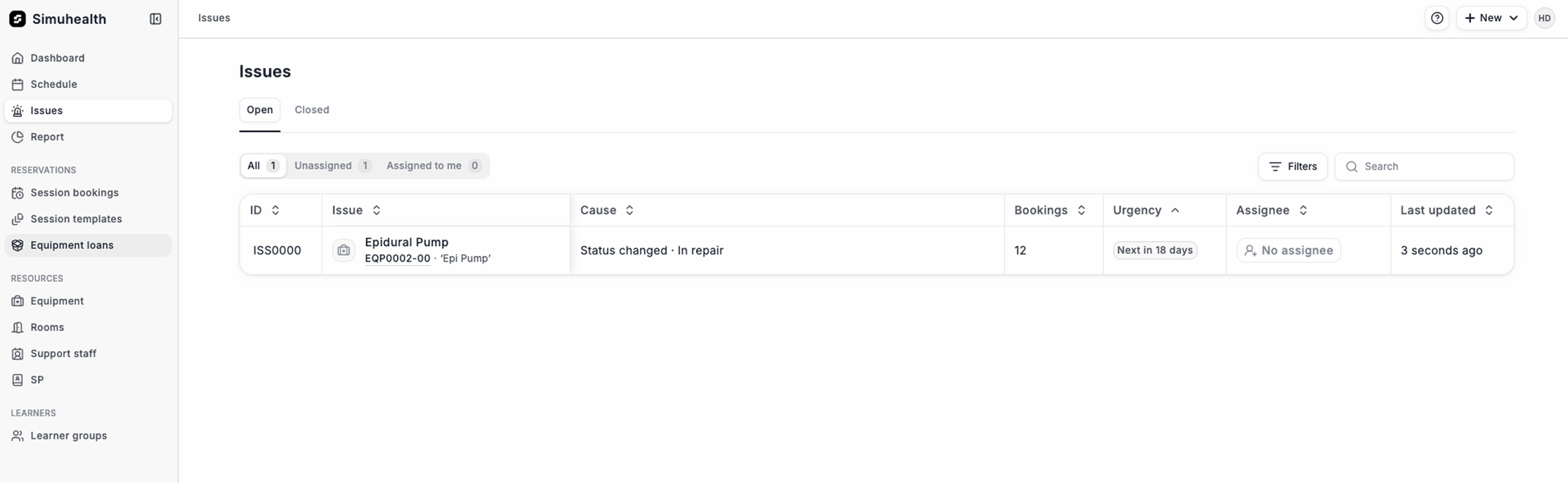
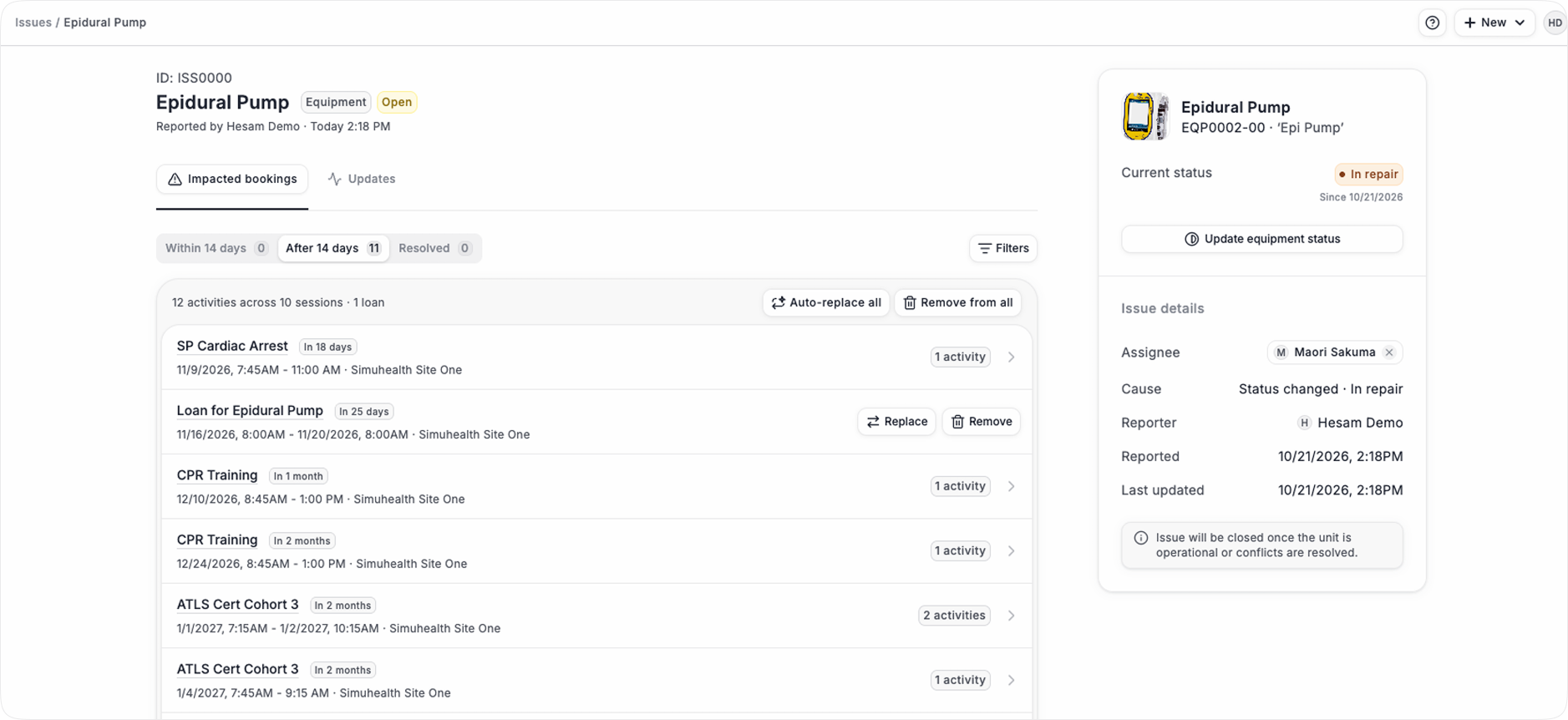
In this example the Epidural Pump was marked as In Repair, at this point the system checks for any future sessions using the pump, and if it is affecting future sessions an issue is created automatically.
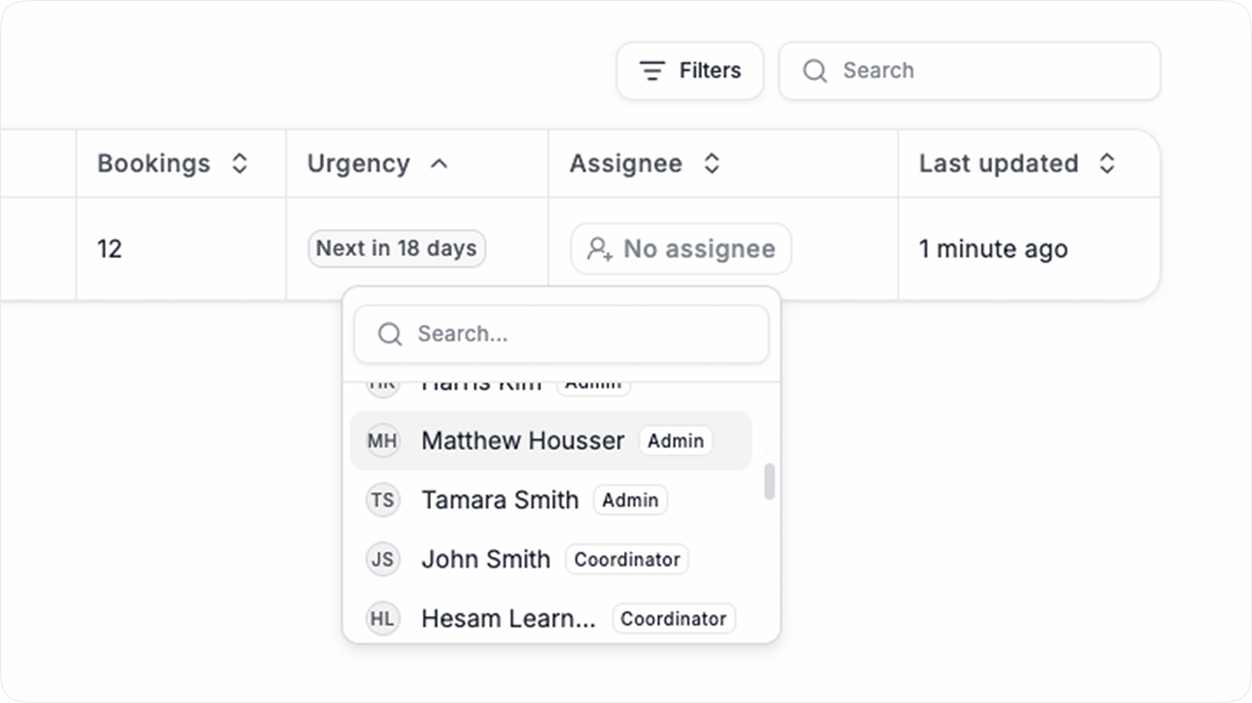
An issue can be assigned an owner to resolve it:
An issue will outline all of the impacted sessions and loans in the future which use this affected equipment, prioritized by those that are in the next 14 days:
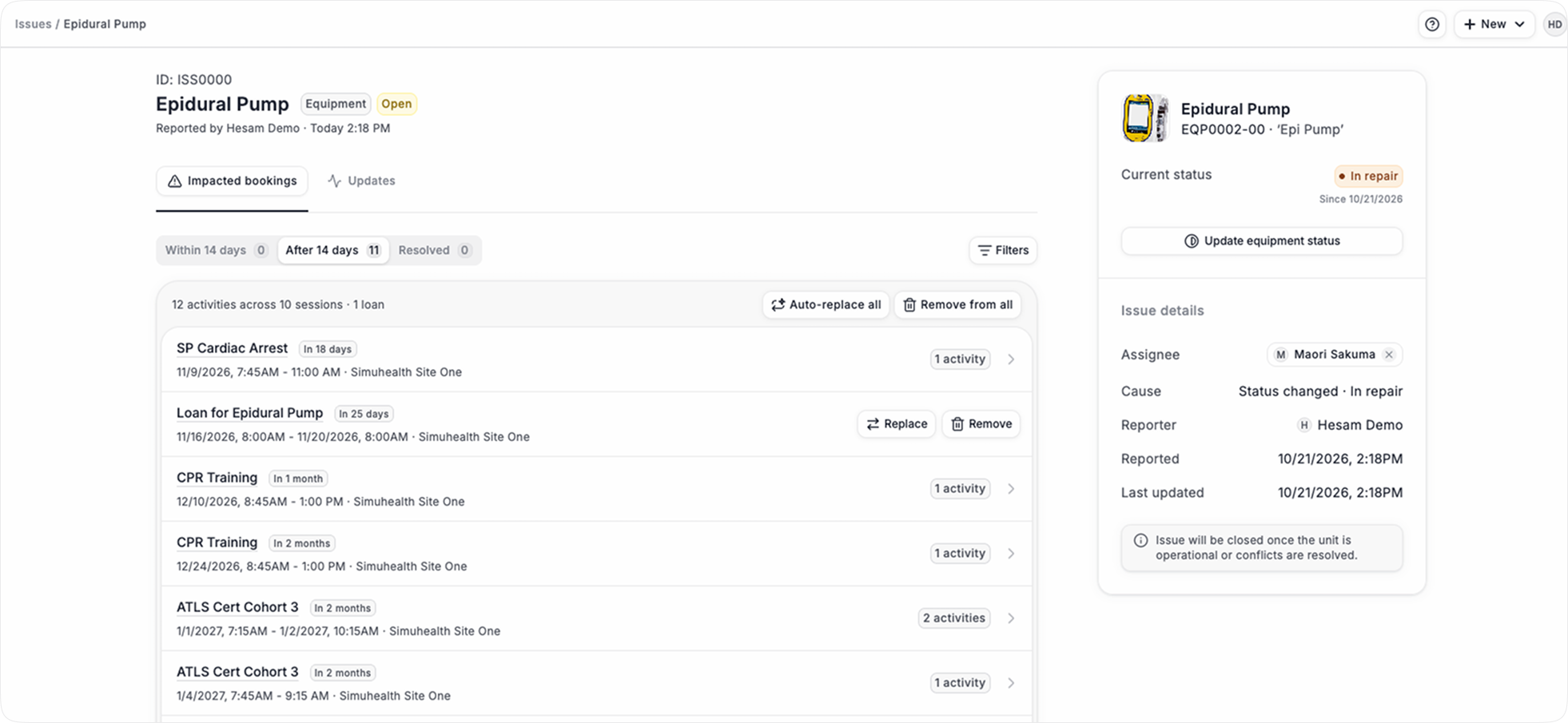
There are 3 ways to close an issue:
a. Update the equipment status from In Repair to Operational: this automatically resolves the issue
b. Remove the equipment from the session(s)
c. Replace the in repair equipment with another operational equipment, either one by one or with a bulk update using Auto-replace
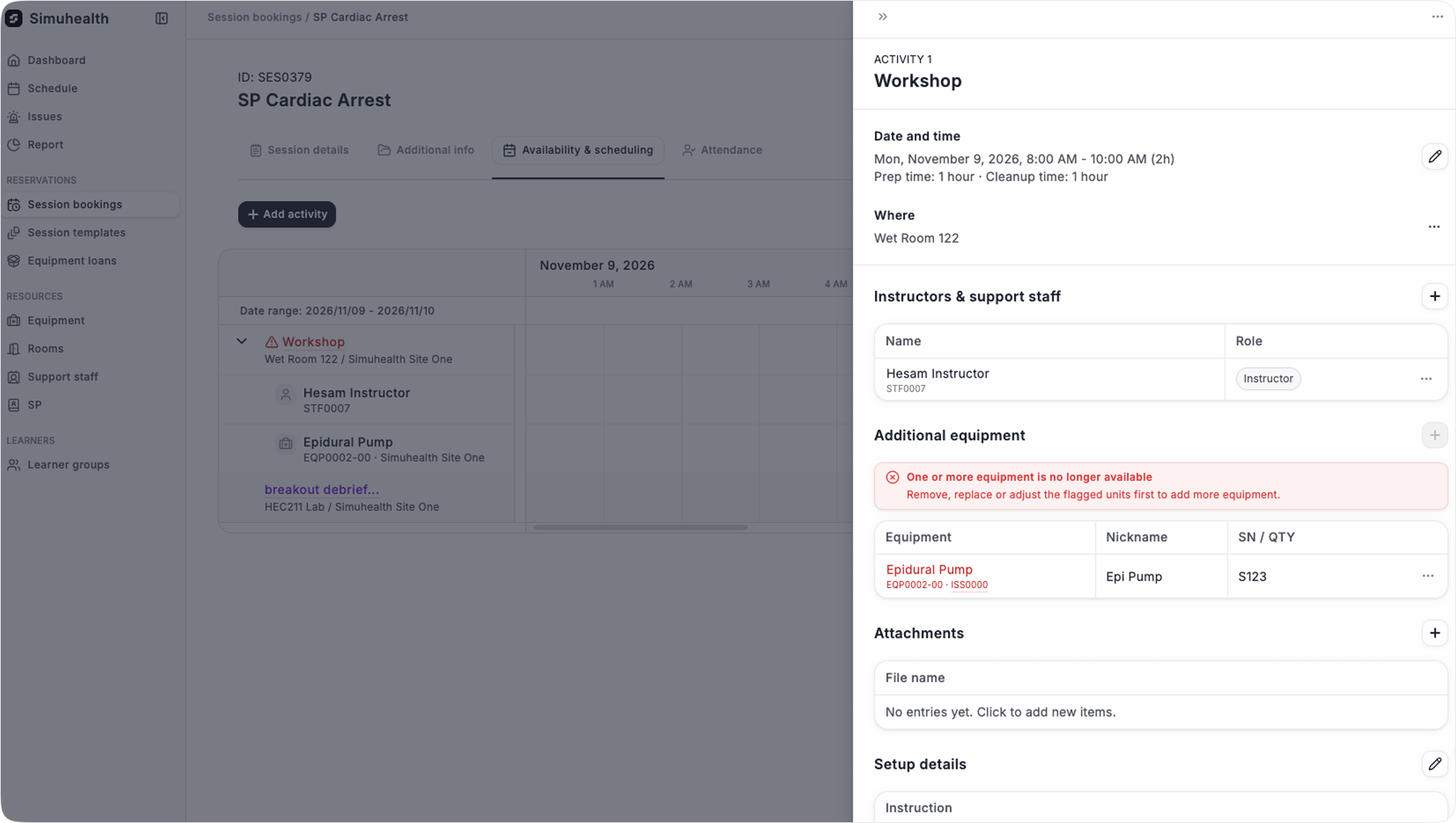
If an activity has an issue, it will be marked on the timeline and in the drawer:
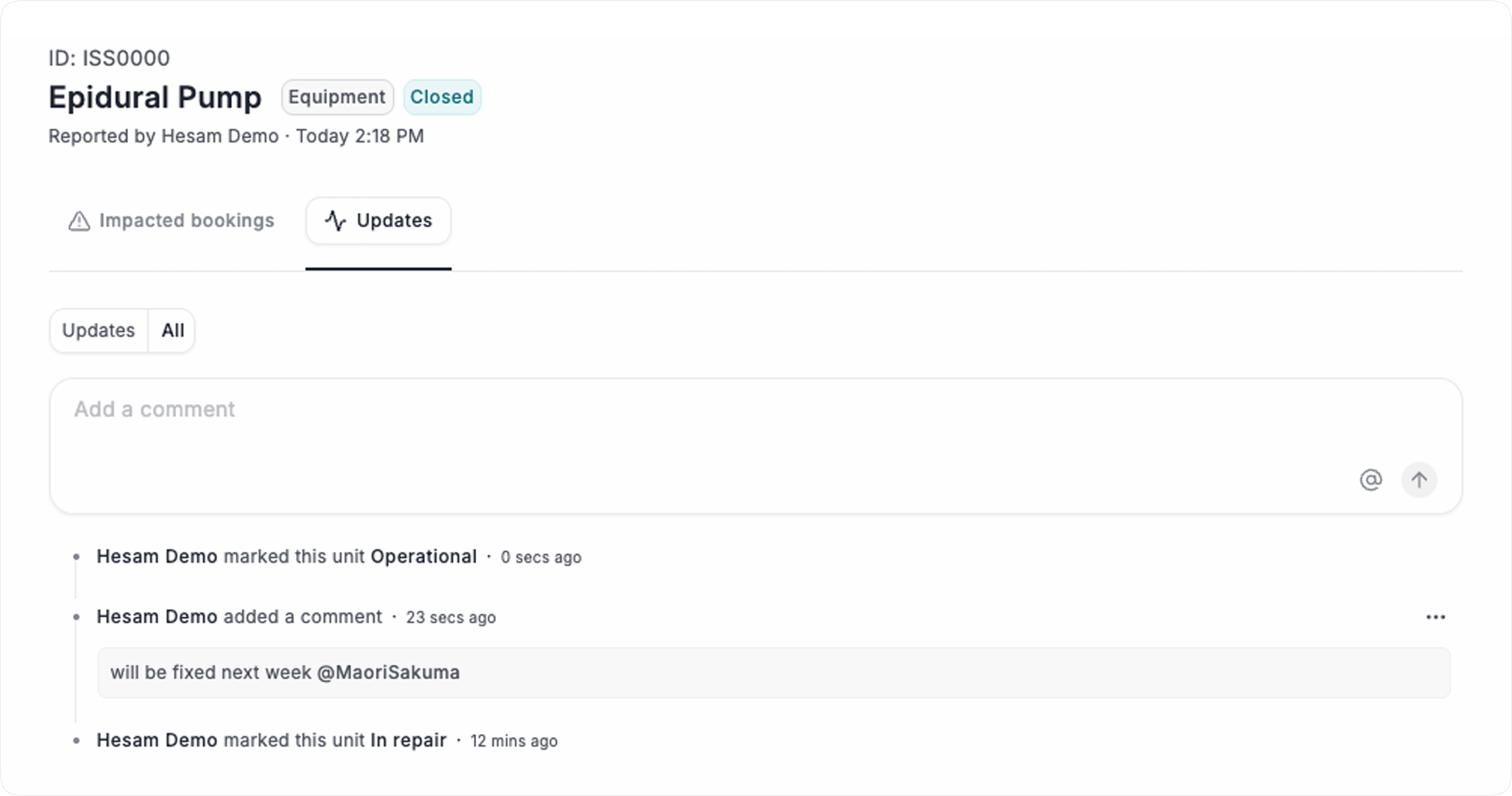
See a history of issue resolution and add comments/tag people to help resolve the issue:
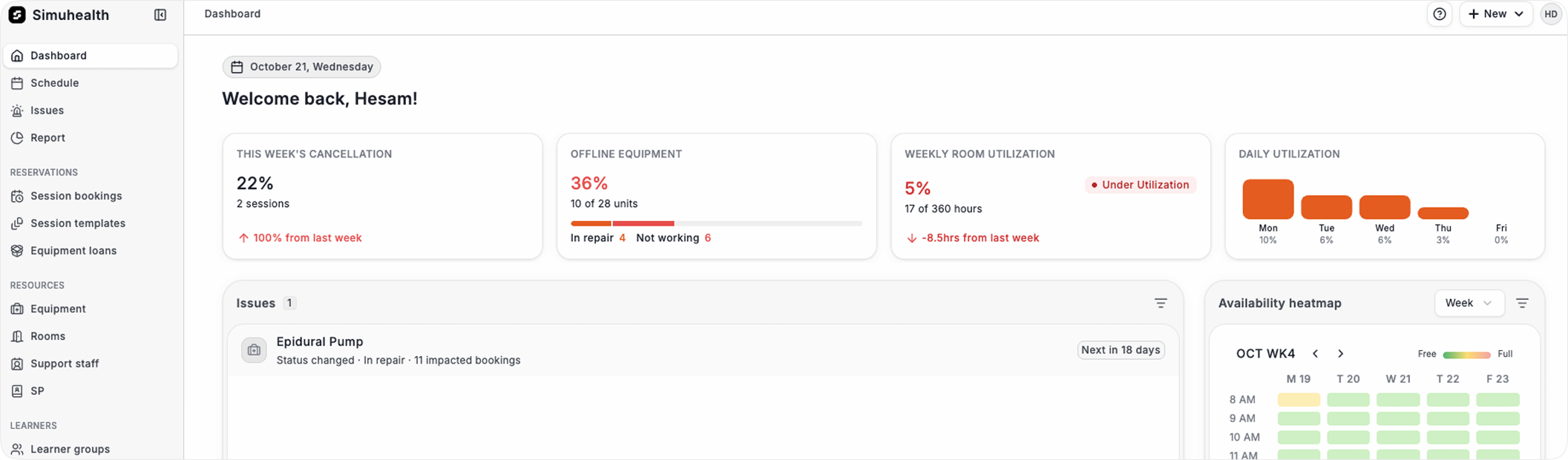
Assigned issues show on the dashboard with a priority based on timing:
Previously SIM Team members had access to all sites, like Admins
You can now assign SIM Team users to a site (or many sites)
They only see operational details from their assigned sites, keeping their view focused
Report equipment and room issues in the mobile view, so you can do this on the go
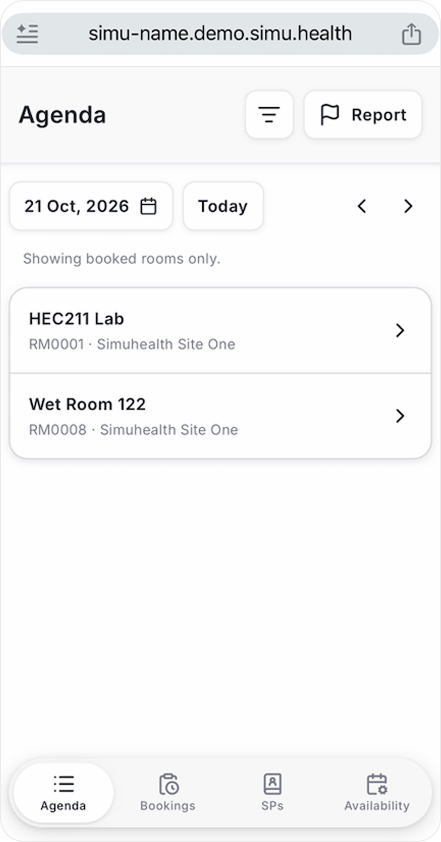
You can scan a QR code that is tied to the equipment, or manually find the equipment and/or room to report